
Java 27 Released: What's New, Simplified Main Method, Major Features and Code Examples
Java 27 introduces nine major enhancements covering security, performance, concurrency, and memory management. Discover the simplified void main() syntax, explore Java 27 features with practical code examples, and understand how the latest release compares with Java 25

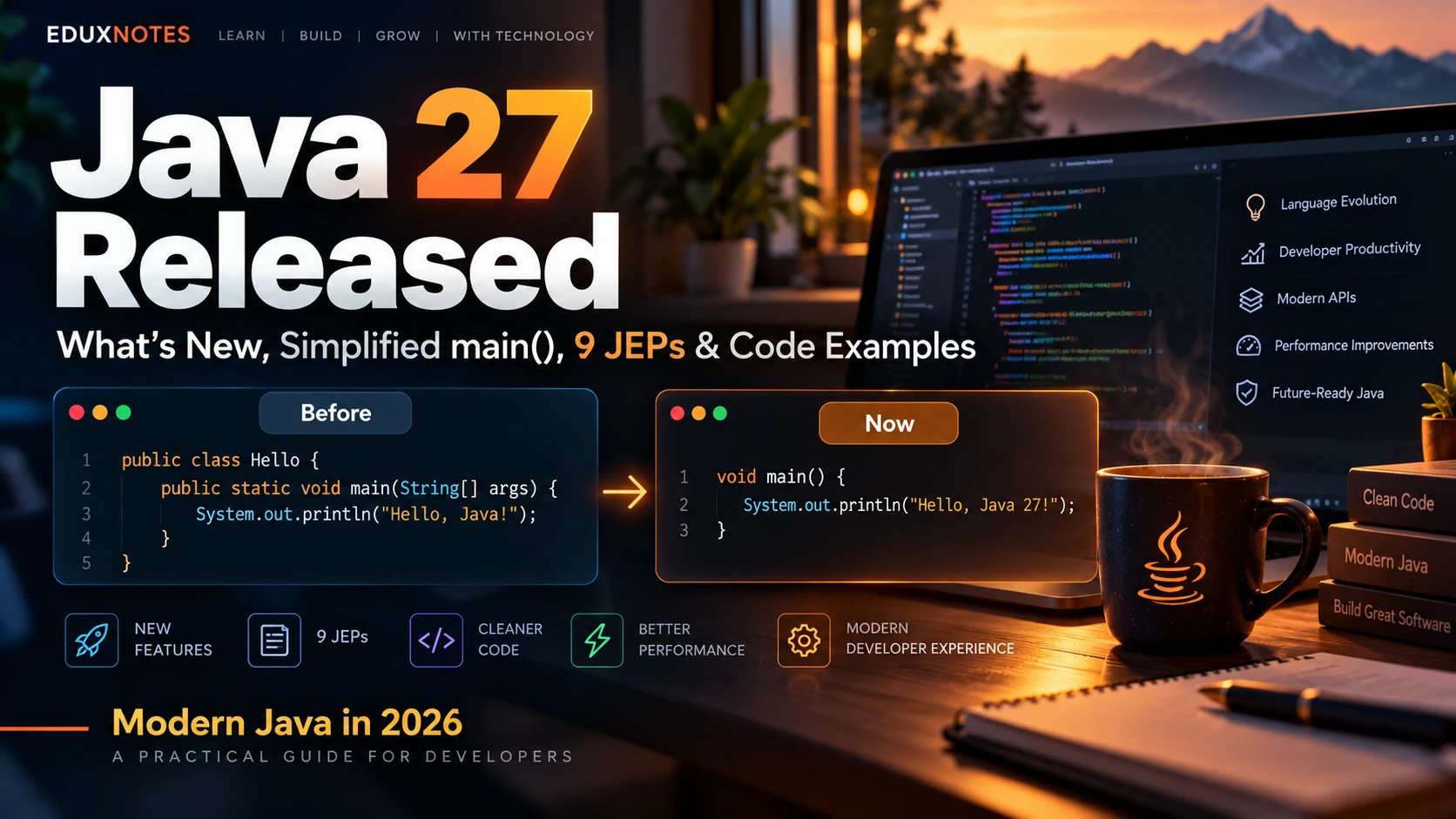
Table of Content
Table of Content
Java has been one of the most widely used programming languages for decades. From Android development and banking systems to enterprise applications and cloud-based platforms, Java continues to play an important role in modern software development.
But Java is no longer exactly the language many developers learned in college.
If you remember writing public static void main(String[] args) before printing your first Hello World message, you might be surprised by how much simpler modern Java has become.
Today, a basic Java program can look like this:
void main() {
    IO.println("Hello, World!");
}
Yes, this is valid Java code.
You no longer need to write an explicit class declaration, public static, or String[] args for a simple program.
However, this particular improvement was finalized in Java 25, not Java 27. It remains available in the latest release.
Java 27 was officially released on September 15, 2026, introducing nine JDK Enhancement Proposals (JEPs). These include improvements to structured concurrency, pattern matching, cryptographic security, garbage collection, memory efficiency, and application monitoring.
In this article, we will explore the simplified Java syntax, all nine Java 27 enhancements, practical code examples, differences between Java 25 and Java 27, installation instructions, and what these changes mean for developers.
What Is Java 27?
Java 27 is a feature release of the Java Platform, Standard Edition (Java SE).
Java follows a six-month release schedule, allowing new language and runtime improvements to reach developers regularly.
Java 27 is a non-Long-Term Support (non-LTS) release. Java 25, released in September 2025, remains the latest LTS version as of October 2026.
This distinction matters.
An LTS release is generally suitable for organizations that need a longer maintenance period, whereas a non-LTS release is often used to adopt or evaluate new capabilities sooner.
Java 27 includes nine major enhancements:
- Primitive Types in Patterns, instanceof, and switch - JEP 532
- Lazy Constants - JEP 531
- Structured Concurrency - JEP 533
- PEM Encodings of Cryptographic Objects - JEP 538
- Post-Quantum Hybrid Key Exchange for TLS 1.3 - JEP 527
- G1 as the Default Garbage Collector in All Environments - JEP 523
- Compact Object Headers by Default - JEP 534
- Vector API - JEP 537
- JFR In-Process Data Redaction - JEP 536
Some are permanent enhancements, while others remain preview or incubator features.
Let's begin with the change that has attracted particular attention among students and beginners.
Java No Longer Requires the Traditional public static void main Syntax
For many years, Java tutorials introduced students to programming with this code:
public class HelloWorld {
    public static void main(String[] args) {
        System.out.println("Hello, World!");
    }
}
The program is straightforward once you understand Java. But beginners often struggle with several concepts before they even learn how to print text.
Why do we need a class?
What does static mean?
Why does the main method accept a String array?
What is the difference between public and other access modifiers?
Previously, students often had to memorize these concepts before understanding them.
Modern Java addresses this problem.
The new simplified Java syntax
Starting with Java 25, the following program became a permanent language capability:
void main() {
    IO.println("Hello, World!");
}
Output:
Hello, World!
This change was introduced through JEP 512: Compact Source Files and Instance Main Methods.
JEP 512 became permanent in Java 25 after going through multiple preview releases.
Java 27 continues to support it without requiring any preview flags.
What exactly changed?
Previously, the familiar entry-point declaration was:
public static void main(String[] args)
Modern Java permits a launchable instance main method:
void main()
The public modifier is no longer mandatory for launchable main methods.
The method does not have to be static.
The String[] args parameter can be omitted when command-line arguments are unnecessary.
And with compact source files, developers do not have to declare an enclosing class explicitly.
The compiler creates an implicitly declared class.
This does not mean Java has abandoned object-oriented programming or removed the concept of classes. It simply makes small programs easier to write.
Does Java still need a main method?
Yes.
A standalone Java application still needs a valid launchable entry point.
The important change is that Java accepts more forms of the main method.
For example, this is valid:
class Student {
    void main() {
        IO.println("Welcome to Eduxnotes");
    }
}
This is also valid:
void main() {
    IO.println("Learning modern Java");
}
However, writing only a standalone statement without a method is not the same as declaring a launchable Java program:
IO.println("Hello");
The simplified approach still requires a main() method.
What is IO.println()?
Another useful addition is the java.lang.IO class.
Traditionally, printing output required:
System.out.println("Hello");
Modern Java also supports:
IO.println("Hello");
For beginner programs, this syntax is shorter and easier to understand.
Similarly, Java provides the IO.readln() method for console input.
void main() {
    String name = IO.readln("Enter your name: ");

    IO.println("Hello, " + name);
}
Example interaction:
Enter your name: Rahul
Hello, Rahul
The program reads a name and prints a greeting without creating a Scanner object.
However, Scanner, System.out.println(), and other existing APIs remain fully valid.
For professional applications, logging frameworks and specialized input APIs continue to serve important purposes.
How to run a simplified Java program
Create a file named Hello.java:
void main() {
    IO.println("Hello from Java 27!");
}
Open a terminal in the same directory and execute:
java Hello.java
You can also compile and run it separately:
javac Hello.java
java Hello
No preview flag is needed.
This improvement is especially valuable for beginners, teachers, and anyone writing quick Java experiments.
Important: Simplified main methods are not a newly introduced Java 27 feature. They became permanent in Java 25 through JEP 512.
1. Primitive Types in Patterns, instanceof, and switch JEP 532
Status: Fifth Preview
Pattern matching allows developers to inspect values and work with different types more conveniently.
Java has supported pattern matching for reference types for several releases.
JEP 532 extends this work by allowing primitive types in more pattern-matching situations and supporting primitive values with instanceof and switch.
Consider an application that needs to convert an integer into a byte.
A Java byte can store values between -128 and 127.
Traditionally, a developer might check the range manually.
void main() {
    int number = 120;

    if (number >= -128 && number <= 127) {
        byte result = (byte) number;
        IO.println(result);
    }
}
With Java 27's preview capability, the conversion can be expressed more directly:
void main() {
    int number = 120;

    if (number instanceof byte result) {
        IO.println("Valid byte: " + result);
    } else {
        IO.println("Value is too large");
    }
}
Output:
Valid byte: 120
If the number were 1000, the pattern would not match because 1000 cannot be represented as a byte.
This helps developers write clearer numeric validation and conversion logic.
It can be useful in financial applications, scientific computing, and systems that process numeric data with different types.
The feature remains in preview, so developers must enable preview features when compiling and running programs that use it.
2. Lazy Constants JEP 531
Status: Third Preview
Applications sometimes initialize objects before they are actually required.
For example, a backend application might load configuration data, create lookup structures, or initialize expensive resources during startup.
If those resources are not immediately needed, their initialization can waste time and memory.
Lazy constants provide a standardized way to delay initialization.
A LazyConstant stores a value that is computed when first accessed successfully.
Consider the following example:
LazyConstant<String> message =
    LazyConstant.of(() -> {
        IO.println("Initializing...");
        return "Welcome to Eduxnotes";
    });

void main() {
    IO.println("Application started");

    IO.println(message.get());
    IO.println(message.get());
}
Expected output:
Application started
Initializing...
Welcome to Eduxnotes
Welcome to Eduxnotes
The initialization function is executed only on the first successful access.
Later calls return the stored value.
The API also provides thread-safe initialization, reducing the need for custom synchronization code.
This could benefit applications containing expensive resources that are accessed infrequently.
Lazy constants are not a complete replacement for application lifecycle management. Developers must still manage external resources correctly.
Also, storing an object in a lazy constant does not automatically make that object's internal state immutable.
Nevertheless, the feature provides a useful programming model for delayed initialization.
3. Structured Concurrency JEP 533
Status: Seventh Preview
Concurrency allows applications to perform multiple operations at the same time.
Imagine an e-commerce application that needs to retrieve customer details and check product availability before generating a response.
These tasks can execute concurrently.
However, traditional thread management can become complicated when one task fails or must be cancelled.
Structured concurrency addresses this issue by treating related concurrent operations as a single unit of work.
Java 27 structured concurrency example
void main() throws Exception {

    try (var scope = StructuredTaskScope.open()) {

        var customer = scope.fork(
            () -> "Customer details loaded"
        );

        var inventory = scope.fork(
            () -> "Inventory checked"
        );

        scope.join();

        IO.println(customer.get());
        IO.println(inventory.get());
    }
}
Expected output:
Customer details loaded
Inventory checked
Both subtasks are started within the same structured scope.
The join() operation waits for their successful completion under the default policy.
If a subtask fails, the scope can cancel other unfinished work and propagate the error.
This is useful because unrelated threads can otherwise continue consuming resources even after the parent operation has failed.
Structured concurrency also works naturally with virtual threads.
Potential use cases include API gateways, microservices, network applications, and backend systems that make several independent service calls.
The API is still in preview, so production teams should evaluate its compatibility and stability before adopting it.
4. PEM Encodings of Cryptographic Objects JEP 538
Status: Third Preview
Security-focused applications frequently work with certificates, public keys, private keys, and certificate revocation lists.
Many tools exchange this information using the Privacy-Enhanced Mail format, commonly called PEM.
A PEM-encoded public key typically looks like this:
-----BEGIN PUBLIC KEY-----
Base64-encoded key data
-----END PUBLIC KEY-----
Historically, developers often needed extra conversion logic or third-party libraries to handle PEM data.
Java 27 continues the development of standard APIs for encoding and decoding supported cryptographic objects.
Java 27 example
void main() throws Exception {

    var generator =
        KeyPairGenerator.getInstance("RSA");

    generator.initialize(2048);

    var pair = generator.generateKeyPair();

    String pem = PEMEncoder.of()
        .encodeToString(pair.getPublic());

    PublicKey restored = PEMDecoder.of()
        .decode(pem, PublicKey.class);

    IO.println(restored.getAlgorithm());
}
Expected output:
RSA
The example generates an RSA key pair, converts its public key into PEM text, and decodes it back into a Java object.
This functionality can simplify applications involving certificates, identity systems, and secure communication infrastructure.
However, developers should remember that PEM encoding does not necessarily encrypt the data.
Private keys require appropriate security controls regardless of their storage format.
The API remains in preview in Java 27.
5. Post-Quantum Hybrid Key Exchange for TLS 1.3 JEP 527
Status: Final
One of Java 27's most significant security enhancements is support for post-quantum hybrid key exchange in TLS 1.3.
Most secure internet communications rely on cryptography to protect information transmitted between applications and servers.
Some traditional public-key cryptographic techniques could become vulnerable if sufficiently powerful quantum computers become available.
Post-quantum cryptography aims to address this potential threat.
Java 27 adds hybrid key exchange mechanisms that combine conventional elliptic-curve cryptography with quantum-resistant key encapsulation.
One supported hybrid group is X25519MLKEM768.
Why use a hybrid approach?
The idea is to combine cryptographic mechanisms based on different security assumptions.
If one component remains secure, the combined secret can retain protection.
This also supports a gradual transition toward post-quantum cryptography without immediately abandoning conventional approaches.
Applications using Java's standard TLS implementation can potentially benefit from the new support without changing their application-level code.
For example, an application can continue using the standard Java HTTP client:
void main() throws Exception {

    var client = HttpClient.newHttpClient();

    var request = HttpRequest.newBuilder()
        .uri(URI.create("https://example.com"))
        .GET()
        .build();

    var response = client.send(
        request,
        HttpResponse.BodyHandlers.ofString()
    );

    IO.println(response.statusCode());
}
This example demonstrates an HTTPS request. It does not by itself prove that a post-quantum hybrid exchange occurred.
The negotiated key exchange depends on the Java TLS configuration and whether the remote server supports the relevant algorithms.
For security-sensitive organizations, hybrid cryptography is an important development to follow.
It is particularly relevant to systems that need to protect information over long periods.
6. G1 Becomes the Default Garbage Collector Everywhere JEP 523
Status: Final
Java provides automatic memory management through garbage collection.
Instead of requiring developers to manually release every unused object, the Java Virtual Machine identifies unreachable objects and reclaims their memory.
The JVM supports different garbage collectors with different performance characteristics.
G1, also known as Garbage-First, was already the default in many server environments.
Java 27 makes G1 the default garbage collector across all HotSpot environments when another collector has not been selected explicitly.
Why is this important?
Garbage collectors influence application responsiveness, memory behavior, and throughput.
G1 aims to balance throughput with predictable pause-time goals.
A consistent default can make runtime behavior more predictable across different environments.
Developers can inspect garbage-collection activity using:
java -Xlog:gc -jar application.jar
This enables garbage-collection logging.
However, changing the default garbage collector does not guarantee that every application becomes faster.
Small command-line programs and large backend services can have very different memory requirements.
Applications should be tested using representative workloads before making performance claims.
Other supported garbage collectors remain available through explicit JVM configuration.
7. Compact Object Headers by Default JEP 534
Status: Final
Java objects require more memory than just the values stored in their fields.
Each object also contains metadata used by the JVM.
This metadata contributes to an object's overall memory footprint.
For applications containing millions of objects, even a small reduction in object overhead can become significant.
JEP 534 makes compact object headers the default layout in supported HotSpot configurations.
On supported 64-bit architectures, compact object headers reduce header size from 96 bits to 64 bits.
That means reducing the header from 12 bytes to 8 bytes.
How does this help applications?
Consider a large backend system that keeps millions of small objects in memory.
Reducing object-header overhead can lower heap usage.
Smaller objects may also improve memory locality, potentially benefiting performance in suitable workloads.
This can be particularly relevant to large enterprise applications, caching systems, and data-processing workloads.
However, memory savings depend on factors such as object sizes, alignment, and JVM configuration.
A four-byte reduction in an object header does not necessarily mean every allocated object becomes exactly four bytes smaller.
The improvement happens primarily inside the JVM.
Developers generally do not need to rewrite Java source code to benefit from it.
8. Vector API JEP 537
Status: Twelfth Incubator
Modern processors can perform calculations on multiple data values simultaneously.
This technique is known as SIMD, or Single Instruction, Multiple Data.
The Java Vector API provides an explicit programming interface for expressing computations that the JVM can map to suitable vector instructions.
Consider adding the values of two large arrays.
A traditional program might process each pair of values individually.
The Vector API can process multiple values together when supported by the hardware and runtime.
Java 27 Vector API example
import jdk.incubator.vector.*;

void main() {

    int[] a = new int[128];
    int[] b = new int[128];
    int[] result = new int[128];

    for (int i = 0; i < a.length; i++) {
        a[i] = i;
        b[i] = i * 2;
    }

    var species = IntVector.SPECIES_PREFERRED;

    int i = 0;
    int upperBound = species.loopBound(a.length);

    for (; i < upperBound; i += species.length()) {

        var first = IntVector.fromArray(
            species, a, i
        );

        var second = IntVector.fromArray(
            species, b, i
        );

        first.add(second).intoArray(result, i);
    }

    for (; i < a.length; i++) {
        result[i] = a[i] + b[i];
    }

    IO.println(result[10]);
}
Expected output:
30
Here, result[10] contains 10 plus 20.
The example includes a scalar remainder loop to handle array elements that do not fit into a complete vector.
This programming model can be useful for numerical computation, image processing, data analysis, and scientific workloads.
Actual speedups depend on CPU capabilities, JVM implementation, memory layout, and the operations being performed.
The Vector API remains incubating in Java 27 and may change before becoming permanent.
9. JFR In-Process Data Redaction JEP 536
Status: Final
Java Flight Recorder, commonly called JFR, is a built-in tool for recording runtime information about Java applications.
Developers use it to understand application behavior, investigate performance problems, and identify resource bottlenecks.
However, diagnostic recordings may sometimes contain sensitive information.
For example, applications might receive credentials through command-line arguments, environment variables, or system properties.
If those values appear in diagnostic recordings, sharing the recordings can create security risks.
Java 27 introduces in-process redaction for selected diagnostic data.
This means certain sensitive values are redacted before leaving the running Java process.
Java Flight Recorder example
java \
  -XX:StartFlightRecording=duration=30s,filename=app.jfr \
  -jar application.jar
This command starts a flight recording lasting 30 seconds.
Java 27 applies default redaction behavior to relevant command-line arguments and initial environment-variable and system-property values.
Custom rules can provide additional protection for application-specific secrets.
This is useful for enterprise systems where diagnostic recordings may be shared among development, operations, and support teams.
However, JFR redaction does not replace secure credential management.
Sensitive information still requires proper access controls, secure storage, and careful handling.
How to Enable Preview Features in Java 27
Not every feature introduced in Java 27 is permanent.
Preview features require explicit compiler and runtime options.
For example, suppose you save the primitive pattern-matching example as NumericDemo.java.
Compile it using:
javac --enable-preview --release 27 NumericDemo.java
Run it using:
java --enable-preview NumericDemo
These options are also required for Java 27 preview APIs such as structured concurrency, lazy constants, and PEM encoding.
For the incubating Vector API, enable its module:
javac --add-modules jdk.incubator.vector VectorDemo.java
Run the program:
java --add-modules jdk.incubator.vector VectorDemo
A program combining a preview feature with an incubator module will need both relevant options.
Remember that the simplified void main() syntax does not require preview flags in Java 27.
Java 25 vs Java 27: What's Different?
Java 25 and Java 27 both support modern Java development, but they have different release and maintenance characteristics.
Java 25
Java 25 was released in September 2025 and is an LTS release.
It finalized several useful language improvements, including compact source files, instance main methods, module import declarations, and flexible constructor bodies.
It is suitable for organizations that require longer support arrangements.
Java 27
Java 27 was released in September 2026 and is a non-LTS feature release.
It retains the permanent features introduced in Java 25 while adding improvements delivered through Java 26 and Java 27.
Its new enhancements include post-quantum hybrid TLS key exchange, default compact object headers, default G1 garbage collection across environments, and updated preview APIs.
Structured concurrency and primitive pattern matching also continue to evolve.
Which version should beginners use?
Java 27 is a reasonable choice for learning and experimenting with the latest features.
However, Java 25 LTS is also modern and already supports the simplified void main() syntax.
Students do not need Java 27 specifically to use compact source files.
For enterprise applications, the choice should depend on framework compatibility, vendor support, testing results, and maintenance requirements.
How to Install Java 27 on Windows, Linux, and macOS
Installing Java 27 is straightforward, but you should use an official or trusted JDK distribution.
Oracle provides Java 27 packages for supported operating systems.
Official downloads:
https://www.oracle.com/java/technologies/downloads/
Install Java 27 on Windows
Visit the official Java downloads page.
Choose the Java 27 installer compatible with your Windows architecture.
Download and run the installer, then complete the installation steps.
After installation, open Command Prompt or PowerShell.
Check the runtime:
java -version
Check the compiler:
javac -version
Both should report version 27 when the new JDK is selected.
If an older version appears, check your PATH configuration and installed JDK locations.
Install Java 27 on Ubuntu or Debian
For supported x64 systems, download Oracle's Debian package:
wget -O jdk-27.deb \
https://download.oracle.com/java/27/latest/jdk-27_linux-x64_bin.deb
Install the package:
sudo apt install ./jdk-27.deb
Verify the installation:
java -version
javac -version
If multiple versions are installed, Ubuntu users can inspect the available Java alternatives:
sudo update-alternatives --config java
The compiler may require a separate alternatives selection.
For ARM64 Linux systems, select an appropriate ARM-compatible distribution rather than installing an x64 package.
Install Java 27 on macOS
Visit Oracle's Java download page and select the appropriate macOS installer for your processor.
Install the JDK using the downloaded package.
Open Terminal and run:
java -version
To locate a Java 27 installation, use:
/usr/libexec/java_home -v 27
Development environments such as IntelliJ IDEA, Eclipse, and VS Code may require you to select the newly installed JDK.
Should You Upgrade an Existing Java Project to Java 27?
Upgrading a Java application involves more than changing the installed JDK.
Before migrating, verify that your frameworks, libraries, database drivers, and build tools support the target version.
For example, a Spring Boot application should be tested against the compatibility requirements of its specific Spring Boot release.
Run automated tests and check important workflows before deploying a new runtime.
You should also review JVM configuration options and runtime warnings.
Java 27 includes changes that may affect some applications using legacy JVM flags or deep reflection.
In particular, its warnings around reflective modification of final fields help developers prepare for tighter restrictions in future releases.
Performance testing is equally important.
Compare startup time, memory usage, response latency, and throughput under realistic conditions.
Do not assume that every application will become faster simply because the JVM version is newer.
For production systems requiring long-term stability, continuing with Java 25 LTS while evaluating Java 27 separately may be a sensible strategy.
Frequently Asked Questions About Java 27
1. Is public static void main(String[] args) still required in Java 27?
No. Java 27 supports instance main methods and compact source files.
You can write a simple program using void main() without explicitly declaring a class.
However, a standalone program still requires a valid launchable main method.
The traditional public static void main(String[] args) syntax remains fully supported.
2. Which Java version introduced the simplified main method?
The simplified main method was developed through multiple preview releases beginning with Java 21.
It became a permanent feature in Java 25 through JEP 512, Compact Source Files and Instance Main Methods.
Java 27 continues supporting it without requiring preview flags.
3. Is Java 27 an LTS version?
No. Java 27 is a non-LTS feature release.
Java 25 is the latest LTS version as of October 2026.
Organizations should consider their required support lifecycle when choosing between Java releases.
4. What are the most important new features in Java 27?
Java 27 includes improvements to primitive pattern matching, lazy constants, structured concurrency, PEM encoding, post-quantum hybrid TLS key exchange, garbage collection, compact object headers, the Vector API, and Java Flight Recorder.
These features target language usability, runtime efficiency, concurrent programming, security, and diagnostics.
5. Should beginners learn Java 25 or Java 27?
Both versions are suitable for learning modern Java.
Java 25 already includes the simplified main method and other beginner-friendly language improvements.
Java 27 provides access to the latest feature-release enhancements.
Beginners should focus first on Java fundamentals, including variables, control flow, methods, classes, collections, and exception handling, before experimenting with preview APIs.
Conclusion
Java continues to evolve without abandoning the strengths that made it popular.
The simplified void main() syntax is one of the most noticeable improvements for students and beginners.
It removes unnecessary complexity from small programs while preserving Java's traditional class-based programming model.
Although that feature became permanent in Java 25, its continued availability in Java 27 makes it an important part of the modern Java experience.
Beyond syntax improvements, Java 27 introduces nine major enhancements addressing concurrency, memory management, application monitoring, performance, and cryptographic security.
Post-quantum hybrid TLS key exchange reflects the platform's preparation for future security challenges.
Compact object headers and consistent G1 garbage-collection defaults demonstrate continued attention to runtime efficiency.
Meanwhile, structured concurrency, lazy constants, and primitive pattern matching offer developers new ways to express application logic.
Not every project needs to upgrade immediately. Developers should evaluate new releases according to compatibility, performance, and support requirements.
But for anyone learning Java or exploring the future of backend development, Java 27 is worth understanding.
Modern Java is not simply about writing fewer lines of code. It is about making development more approachable while continuing to improve reliability, security, and performance.
For more Java tutorials, programming notes, and technology guides, explore Eduxnotes.
Official References
This article was researched using official Oracle and OpenJDK documentation.
1. Oracle Java 27 Release Notes
https://www.oracle.com/java/technologies/javase/27all-relnotes.html
2. Oracle The Arrival of Java 27
https://blogs.oracle.com/java/the-arrival-of-java-27
3. OpenJDK JEP 512: Compact Source Files and Instance Main Methods
4. Oracle Compact Source Files and Instance Main Methods
https://docs.oracle.com/en/java/javase/27/language/compact-source-files-instance-main-methods.html
5. Oracle Java 27 Language Changes Summary
https://docs.oracle.com/en/java/javase/27/language/java-language-changes-summary.html
6. Oracle Java 27 Migration Guide
https://docs.oracle.com/en/java/javase/27/migrate/index.html
7. Oracle Java 27 Installation Guide
https://docs.oracle.com/en/java/javase/27/install/index.html
8. OpenJDK JDK Enhancement Proposals
Last updated: October 2026
Technical note: Preview and incubator examples are based on Java 27 documentation. They require the indicated compiler/runtime options and should be compiled against JDK 27 before use in production.