
Vibe Coding Explained: Benefits, Risks and Best Tools
what vibe coding is, how AI-powered coding works, its biggest benefits and risks, and the best vibe coding tools such as Cursor, Claude Code, GitHub Copilot, Replit Agent, Lovable and v0.
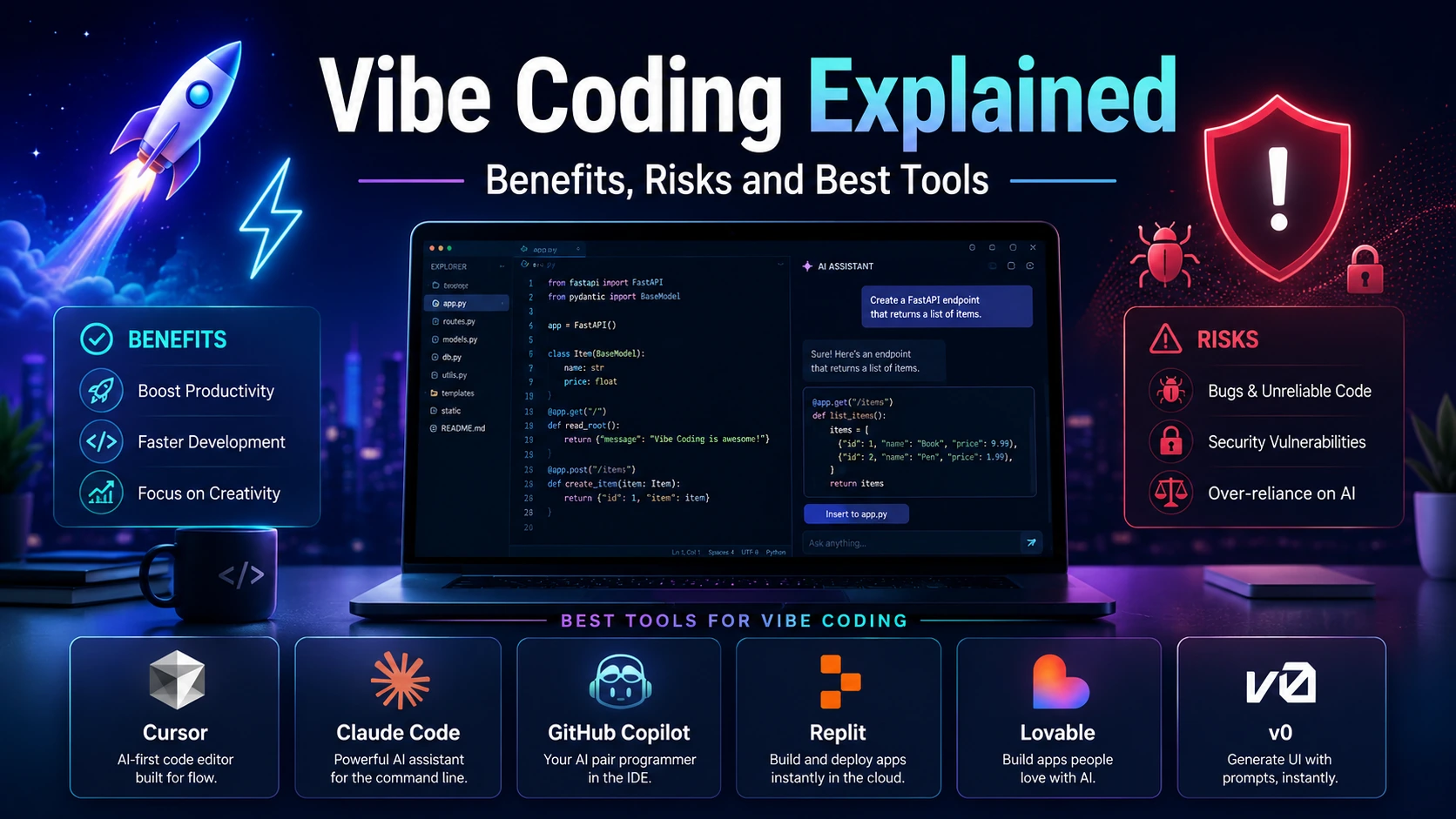
Table of Content
Table of Content
Vibe Coding Explained: Benefits, Risks and Best Tools
Software development is changing faster than it has in years. Not long ago, building even a simple web application meant choosing a programming language, setting up a project, writing components, debugging syntax errors, reading documentation, configuring dependencies, and manually connecting different parts of the system.
Today, a developer can open an AI coding tool and type something like:
“Create a responsive task management dashboard with user authentication, dark mode, a MySQL database, and an admin panel.”
The AI may create the project structure, generate multiple files, install packages, write components, connect APIs, fix errors, and continue improving the application through conversation.
This new way of building software is commonly called vibe coding.
The term became popular after AI researcher Andrej Karpathy described “vibe coding” in February 2025 as a style of programming where developers increasingly communicate their intentions to large language models instead of manually writing and inspecting every line of code.
Vibe coding sounds exciting and it is. It can dramatically reduce the time required to turn an idea into working software. Beginners can experiment with applications that would previously have required months of learning, while experienced developers can automate repetitive development work.
However, there is another side.
Code that appears to work can still contain security vulnerabilities, architectural problems, unnecessary dependencies, performance issues, or logic errors. A developer who accepts AI-generated changes without understanding them may eventually end up with an application that nobody, including the original developer, knows how to maintain.
So is vibe coding the future of software development or simply a dangerous shortcut?
The answer is somewhere between those extremes.
This guide explains what vibe coding really means, how it works, where it provides genuine advantages, what risks developers need to understand, and some of the best tools available for building software with AI.
What Is Vibe Coding?
Vibe coding is an AI-assisted development approach where you describe the software you want in natural language and allow an AI model or coding agent to generate much of the implementation.
Instead of beginning with code such as:
const express = require("express");
const app = express();
you might simply tell an AI tool:
“Create a Node.js Express server with user registration, login, JWT authentication, validation, and proper error handling.”
The AI then writes the required code.
You review or run the application, notice what needs improvement, and continue communicating through prompts.
For example:
“Make the dashboard sidebar collapsible.”
“Add pagination to the users table.”
“The login API is returning a 500 error. Find the issue and fix it.”
“Make this page responsive on mobile devices.”
“Add loading skeletons while the API request is running.”
Modern coding agents can go much further than basic code completion. Cursor's Agent, for example, can search a codebase, edit multiple files, execute terminal commands, fix errors, and work through multi-step programming tasks.
This is fundamentally different from traditional autocomplete.
Autocomplete predicts what code you may want to type next.
An AI coding agent can receive an entire goal, investigate the project, modify several files, execute commands, observe failures, and make additional changes based on the results.
That shift from writing individual lines to describing outcomes is the core idea behind vibe coding.
Where Did the Term “Vibe Coding” Come From?
The phrase became widely known after Andrej Karpathy used it publicly in February 2025 while discussing how capable AI coding models had become.
His description emphasized an intentionally relaxed development workflow: talk to the AI, request changes in plain language, accept generated code, test the result, and continue iterating without necessarily examining every implementation detail.
That last part is important.
Using AI to help write code does not automatically mean you are vibe coding.
A senior engineer who asks an AI to generate a function, reviews every line, writes tests, verifies the architecture, checks security implications, and manually approves the final change is using AI-assisted software development.
A person who describes an application, repeatedly accepts generated changes, tests whether it seems to work, and rarely looks at the underlying implementation is much closer to the original idea of vibe coding.
Over time, however, the phrase has become broader. Many people now use “vibe coding” to describe almost any development workflow where natural-language prompts play a major role.
How Vibe Coding Actually Works
Imagine you want to create a simple expense-tracking application.
In a traditional workflow, you might first plan the database schema, create the frontend, design the backend API, configure authentication, build database queries, implement forms, write validation logic, connect frontend requests, create charts, and then deploy everything.
With vibe coding, the process may begin with one detailed prompt:
“Build a full-stack personal expense tracker using Next.js. Users should be able to register and log in, create expense categories, add expenses, filter expenses by date, and view monthly spending charts. Make the interface responsive and create a clean dashboard.”
The AI generates an initial implementation.
You run the project.
Perhaps the dashboard works, but the mobile layout looks bad.
You tell the AI:
“On screens below 768px, change the sidebar into a slide-out navigation menu and make the expense table horizontally scrollable.”
The AI modifies the relevant files.
Then you discover that users can submit negative expense amounts.
You ask:
“Add frontend and backend validation so expense values must be greater than zero.”
Later you request CSV export, recurring expenses, profile settings, password reset, email verification, or additional reports.
The development process becomes conversational.
Instead of constantly translating your idea into syntax yourself, you focus increasingly on describing behavior, evaluating results, and correcting direction.
That is why vibe coding often feels less like traditional programming and more like managing an extremely fast junior development team.
Why Has Vibe Coding Become So Popular?
The biggest reason is simple: modern AI models have become capable enough to produce meaningful amounts of usable software.
Earlier coding assistants mostly helped with individual functions or autocomplete suggestions.
Modern agents can reason across an entire repository.
They may inspect existing components, search files, understand patterns, create new modules, run tests, use the terminal, investigate errors, and modify several interconnected files.
The interface has also become much easier.
Users no longer have to understand every framework before experimenting with it. Someone can describe a landing page, dashboard, internal business tool, prototype, or even a full-stack application and receive a working starting point.
Platforms such as Lovable now explicitly allow applications to be built through natural-language instructions, including frontend, backend, databases, authentication, and integrations.
Replit similarly describes its Agent as an AI builder that can plan changes, write code, explain behavior, debug problems, and improve applications.
As the gap between “idea” and “working prototype” becomes smaller, naturally more people want to build software.
Major Benefits of Vibe Coding
1. Much Faster Prototyping
One of vibe coding's strongest use cases is prototyping.
Suppose you have an idea for a SaaS application. Before AI coding tools, you might spend several days creating authentication, navigation, dashboard layouts, database models, API endpoints, and basic CRUD functionality before you could even determine whether the idea felt useful.
With modern AI development tools, you may be able to create a functional prototype far more quickly.
This changes product development.
Instead of debating whether an idea will work, you can build something and test it.
A founder can show an interactive prototype to potential customers. A developer can test a new interface. A student can experiment with a project idea. A business owner can validate an internal workflow before investing in a large development project.
Speed does not eliminate the need for engineering, but it significantly lowers the cost of experimentation.
2. Lower Barrier to Software Creation
Traditional programming has a steep initial learning curve.
Before someone can build a useful application, they may need to understand HTML, CSS, JavaScript, frameworks, package managers, APIs, databases, authentication, Git, hosting, deployment, and numerous other concepts.
Vibe coding allows beginners to start from the opposite direction.
Instead of learning everything first and building later, they can begin building and learn concepts as they encounter them.
For example, someone may ask an AI tool to build authentication and then ask:
“Explain how this authentication system works.”
“What is JWT?”
“Why are passwords hashed?”
“What happens when the token expires?”
This can make programming more approachable.
However, beginners should treat AI as a learning accelerator rather than a permanent replacement for understanding software fundamentals.
3. Less Time Spent on Repetitive Code
Even experienced developers spend significant time writing code that is necessary but not particularly creative.
Examples include form validation, CRUD endpoints, database models, repetitive UI components, unit-test templates, API integration boilerplate, TypeScript interfaces, documentation, data transformations, and configuration files.
AI is often very effective at these tasks.
Instead of manually writing several similar API endpoints, a developer can provide one correct pattern and ask the agent to create the remaining endpoints following the same structure.
The developer then reviews the output rather than typing everything manually.
That can free more time for architecture, business logic, user experience, performance, and other areas where human judgment is especially valuable.
4. Faster Debugging
AI coding agents can also be useful when debugging.
Instead of copying an error message into a search engine, opening several forum discussions, checking documentation, and experimenting manually, you can give the agent access to the project and ask it to investigate.
A capable agent may trace the error across several files, inspect dependencies, run the application, examine terminal output, identify the underlying issue, make a correction, and rerun the relevant command.
Cursor, for instance, provides agent workflows designed for debugging and codebase-wide investigation rather than only text generation.
This does not mean AI always finds the correct root cause. It means the initial investigation process can become much faster.
5. Developers Can Explore Unfamiliar Technologies
Imagine you mainly develop React applications but suddenly need a small Python automation script.
Traditionally, you would spend time learning Python syntax, package management, file handling, and whichever libraries your script requires.
With AI assistance, you can describe the automation and receive a starting implementation.
The same applies when moving between SQL databases, cloud platforms, CSS frameworks, testing libraries, APIs, mobile frameworks, or backend languages.
AI gives developers a temporary bridge into unfamiliar territory.
The important part is still verifying the solution before using it in a critical system.
6. Small Teams Can Build More
A small startup may not have separate frontend developers, backend developers, QA engineers, DevOps specialists, technical writers, and designers.
AI does not completely replace those roles, but it can help a small technical team cover more ground.
A developer might use AI to create test cases, generate documentation, refactor repetitive code, prototype interfaces, prepare database migrations, create deployment scripts, or investigate bugs.
That allows small teams to move faster without immediately increasing headcount for every new technical requirement.
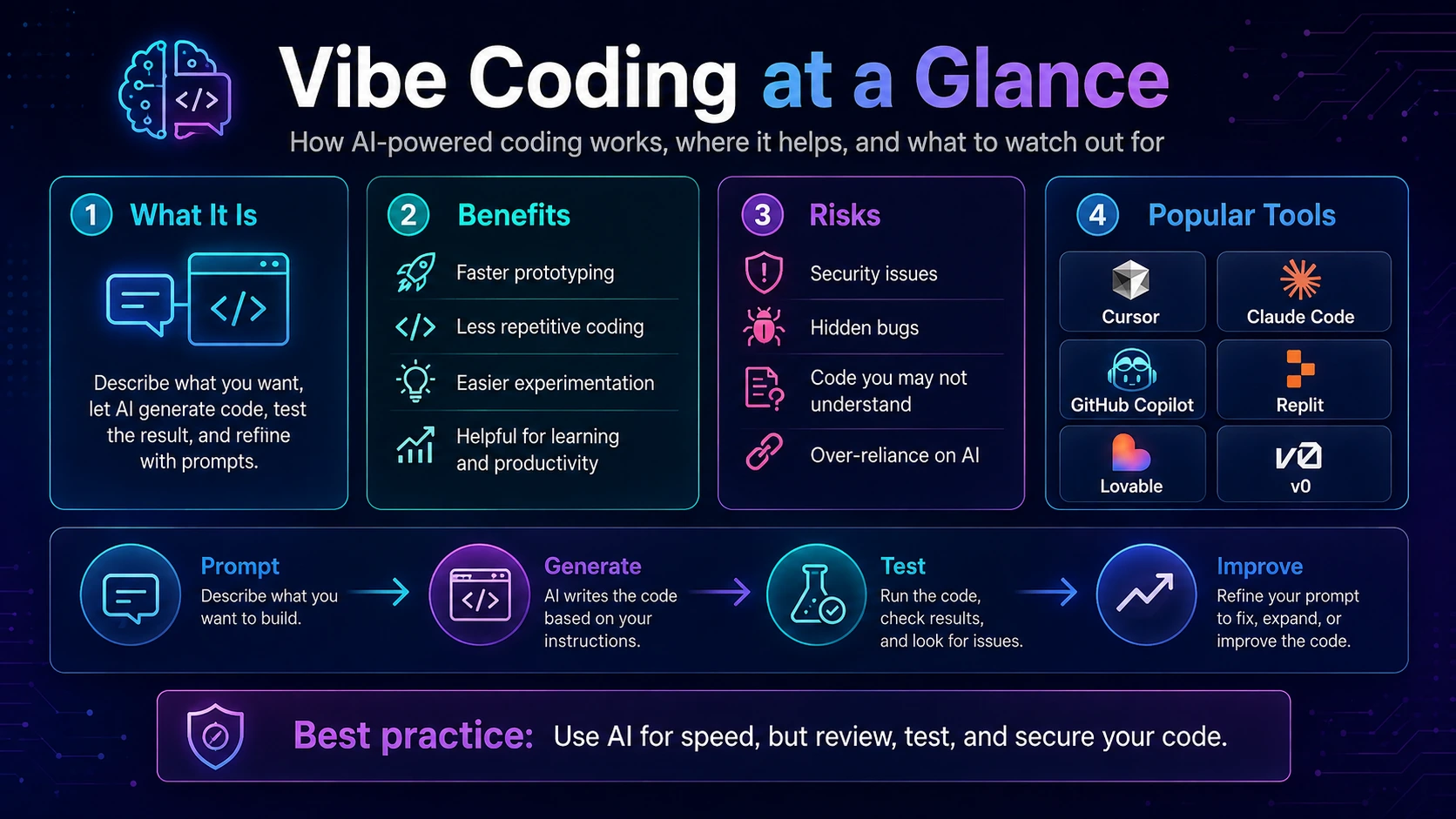
The Risks of Vibe Coding
The benefits are impressive, but the risks are just as important.
In fact, the biggest mistake people make with vibe coding is assuming:
“If the application works, the code must be good.”
That is not necessarily true.
Software can appear functional while containing serious hidden problems.
1. Security Vulnerabilities
AI-generated software can contain insecure authentication, incorrect authorization rules, hardcoded secrets, unsafe database queries, vulnerable dependencies, insecure file uploads, poor input validation, exposed APIs, or other security problems.
This risk becomes much larger when users repeatedly accept generated code without reviewing it.
Even major AI coding platforms acknowledge that autonomous coding introduces security considerations. GitHub's documentation, for example, specifically discusses risks such as unvalidated generated code, sensitive information exposure, autonomous changes, and prompt-injection attacks.
Imagine an AI creates this route:
app.get("/api/users/:id", async (req, res) => {
const user = await User.findById(req.params.id);
res.json(user);
});
The endpoint may work perfectly.
But if the application does not check whether the currently authenticated user is authorized to access that record, attackers could potentially access other users' information.
A beginner testing the UI may never notice the vulnerability.
2. Code You Do Not Understand Becomes Technical Debt
Imagine asking an AI agent to build your entire application.
After hundreds of prompts, the project contains 150 files.
Different libraries were introduced at different stages. Several approaches to state management exist. Some components call APIs directly while others use service functions. Authentication logic appears in multiple places. Old code still exists even though newer code replaced it.
Everything seems to work.
Then a difficult production bug appears.
You ask the AI to fix it.
The AI changes five files.
The original bug disappears, but something else breaks.
You ask it to fix the new problem.
It modifies another seven files.
Eventually you enter a loop where each fix creates another issue.
This is one of the biggest dangers of uncontrolled vibe coding.
The developer becomes dependent on the AI because the codebase has grown beyond their own understanding.
Good architecture and regular cleanup are therefore essential.
3. AI Can Confidently Generate Incorrect Code
Language models predict plausible solutions.
They do not automatically guarantee correctness.
An AI may invent a library method, use an outdated API, misunderstand framework behavior, produce incorrect database logic, miss an edge case, or confidently claim that a bug has been fixed when it has not.
Generated code should therefore be treated similarly to code written by a contributor whose work still needs review.
The better question is not:
“Did the AI generate code?”
It is:
“Have we verified that this code behaves correctly?”
4. Overdependence Can Weaken Programming Skills
There is a significant difference between using AI to accelerate work and being unable to work without it.
Developers still need to understand variables, functions, data structures, APIs, databases, HTTP, authentication, security, Git, debugging, architecture, and the fundamentals of their chosen language and framework.
If a beginner always asks AI to solve every error immediately, they may miss the difficult thinking that normally develops debugging skills.
A healthier approach is to ask the AI not only to fix the issue but also to explain:
what caused the problem, why the fix works, what alternatives exist, and how the same issue can be prevented later.
Vibe coding should shorten the learning loop, not remove learning from it.
5. Large Codebases Are Harder Than New Projects
AI often performs impressively when generating something from scratch.
Maintaining a mature production system is different.
A large application may contain years of architectural decisions, legacy behavior, business rules, undocumented assumptions, multiple services, complex permissions, infrastructure constraints, and dependencies between modules.
Changing one seemingly simple function can affect ten other parts of the platform.
This is why claims that AI makes every developer several times more productive should be treated carefully.
A recent research review of vibe coding found that productivity results vary considerably depending on the task, measurement method, developer experience, and maturity of the codebase. Some studies report meaningful gains, while others report slower completion or increased review overhead.
In other words, AI coding productivity is real in many situations, but it is not automatically universal.
6. Privacy and Intellectual Property Concerns
Developers frequently work with private source code, internal business logic, customer data, API credentials, proprietary algorithms, and confidential documentation.
Before sending this information to any AI service, teams should understand the platform's privacy policies, data handling practices, retention settings, enterprise controls, and contractual terms.
Never paste production secrets simply because an AI assistant asks for configuration information.
Environment variables, private keys, database passwords, cloud credentials, payment keys, and access tokens should remain protected.
Best Vibe Coding Tools
There is no single “best” AI coding platform for everyone. The right tool depends on whether you are an experienced developer editing an existing repository, a beginner building an application from prompts, or a designer creating a frontend prototype.
Cursor
Cursor is one of the most popular tools associated with modern AI-assisted development.
It combines a code editor with AI agents that can understand repositories, search files, modify several files at once, execute terminal commands, debug issues, and implement features.
Its Agent mode is particularly useful for prompts such as:
“Analyze the existing authentication system and add Google login without breaking email authentication.”
or:
“Find why the dashboard loads slowly and optimize the API requests.”
Because Cursor works directly with a codebase, it is particularly useful for developers who want AI assistance while still retaining access to every file and diff.
Cursor also allows developers to review changes instead of blindly accepting them, which makes it suitable for a more disciplined form of vibe coding.
Best suited for: software developers, existing projects, debugging, refactoring, and full-stack development.
Claude Code
Claude Code is Anthropic's coding tool designed for development workflows from the terminal.
Instead of requiring a completely separate visual development environment, it can work directly within the developer's existing project workflow.
That makes it particularly attractive to developers who are comfortable with Linux, Git, terminals, servers, backend projects, and command-line tools.
Claude Code can be used to inspect a repository, understand architecture, modify code, debug issues, help with Git workflows, and work through programming tasks conversationally.
Anthropic provides Claude Code for major development environments including macOS, Linux, and Windows configurations.
Best suited for: terminal users, backend developers, experienced programmers, repository-wide tasks, and automation-heavy workflows.
GitHub Copilot
GitHub Copilot started primarily as an AI-powered coding assistant but has evolved far beyond simple autocomplete.
Its modern workflow includes chat, repository understanding, agents, code review, GitHub integration, and the ability to delegate certain development tasks.
GitHub's cloud agent can work on repository tasks and produce changes that developers review through pull requests. GitHub explicitly recommends reviewing agent-generated pull requests with the same seriousness as human-generated contributions.
That is an important principle for all vibe coding.
AI should accelerate the engineering process without eliminating engineering responsibility.
Best suited for: developers already using GitHub, professional repositories, pull-request workflows, collaborative development, and teams.
Replit Agent
Replit Agent is particularly useful for people who want to go from an idea to a functioning application without manually configuring a complicated local environment.
You can describe what you want to create and collaborate with the agent while it plans, writes, debugs, and improves the application.
Replit itself recommends practices such as giving specific instructions, planning the work, adding context, reviewing and testing results, and using checkpoints.
That advice perfectly summarizes responsible vibe coding.
Do not simply tell an agent to “build everything.”
Give clear requirements, build incrementally, test frequently, and preserve working checkpoints.
Best suited for: students, beginners, hackathons, prototypes, experiments, and developers who prefer browser-based development.
Lovable
Lovable takes vibe coding closer to the no-code experience.
Instead of primarily functioning as a traditional code editor with AI added to it, Lovable focuses on turning natural-language descriptions into complete web applications.
According to its documentation, the platform can work across frontend, backend, database, authentication, integrations, and deployment while keeping the application backed by editable code.
That makes it useful for entrepreneurs and product teams who want to validate an idea quickly.
You might describe:
“Build a SaaS appointment booking platform where businesses can register, create services, set available time slots, receive bookings, and manage customers from a dashboard.”
The platform can then generate an initial implementation that you continue refining conversationally.
Best suited for: founders, MVPs, SaaS prototypes, internal tools, landing pages, and non-technical builders.
v0
Vercel's v0 is another strong tool for prompt-driven web development.
It is especially well known for generating polished web interfaces from natural-language descriptions, screenshots, ideas, and design requirements.
v0 has expanded beyond simple UI generation and its documentation describes it as an AI agent capable of producing real code, full-stack applications, live prototypes, backend-connected experiences, and deployable applications.
It can be particularly useful when you know what a product should look like but do not want to manually create every frontend component.
Best suited for: web interfaces, dashboards, landing pages, React/Next.js projects, fast prototypes, and frontend-heavy applications.
Vibe Coding vs Traditional Coding
Vibe coding should not be viewed as the replacement for traditional software engineering.
It is better understood as another abstraction layer.
Developers once wrote machine code manually.
Higher-level languages reduced that requirement.
Libraries reduced repetitive implementation.
Frameworks abstracted common application architecture.
Cloud platforms abstracted infrastructure.
Now AI is beginning to abstract portions of programming itself.
The developer increasingly describes intention while the machine generates implementation.
But abstraction does not remove responsibility.
You may not manually control every transistor inside a CPU, but you still need to understand computational behavior.
Similarly, you may not manually type every line generated by an AI agent, but you still need enough engineering knowledge to evaluate whether the resulting system is secure, maintainable, performant, and correct.
A Better Way to Vibe Code
The safest approach is not “never use AI.”
It is controlled vibe coding.
Use AI aggressively for speed while maintaining human control over architecture, security, and important business logic.
A practical workflow looks like this:
- Define the feature and requirements before generating code. Give the agent context about the stack, folder structure, database, coding conventions, security requirements, and expected behavior. For larger features, ask for an implementation plan before any files are modified. Build in small stages rather than generating an entire complex application in one prompt. Review significant diffs and ask the AI to explain unfamiliar code. Run linting, type checking, automated tests, and security checks regularly. Keep your project in Git and commit stable checkpoints so bad changes can easily be reverted. Never expose production credentials to the model. Manually inspect authentication, authorization, payments, database operations, file uploads, and other security-sensitive features. Finally, periodically ask the agent to identify duplicate code, unused dependencies, architectural inconsistencies, and technical debt before continuing to add more features.
Following this approach preserves the biggest advantage of vibe coding speed without completely surrendering control of the software.
Where Vibe Coding Works Best
Vibe coding is especially effective for prototypes, hackathon projects, personal tools, landing pages, admin dashboards, CRUD applications, internal business tools, portfolio projects, simple automation, repetitive development work, early-stage MVPs, test generation, documentation, and UI experimentation.
These projects often benefit more from development speed than from perfect architecture during the first iteration.
Consider someone who wants a private dashboard to track freelance clients.
Spending three weeks engineering an enterprise architecture would probably be unnecessary.
An AI agent could generate a useful first version within a much shorter development cycle.
If the project becomes commercially important later, the developer can review, refactor, test, and harden the application.
Where You Should Be More Careful
The stakes change when software handles financial transactions, healthcare information, private customer records, enterprise infrastructure, legal documents, authentication systems, cryptocurrency, critical infrastructure, or other sensitive operations.
In these environments, blindly accepting AI-generated code can create serious consequences.
AI can still help significantly, but generated changes should go through proper engineering processes including code review, automated testing, security analysis, access controls, dependency scanning, monitoring, and staged deployment.
The more damage a bug could cause, the less appropriate pure “accept everything and see whether it works” vibe coding becomes.
Can Beginners Become Developers Through Vibe Coding?
Vibe coding makes it easier to build, but building something and understanding software engineering are not identical.
A beginner can absolutely use AI to create impressive projects.
The opportunity is actually enormous.
Someone learning development today can build projects much earlier in their learning journey than developers could several years ago.
The mistake would be deciding that learning is therefore unnecessary.
A beginner who combines AI with genuine learning has a major advantage.
Instead of spending hours struggling with syntax, they can spend more time understanding concepts.
When AI generates an authentication system, study it.
When it creates a database query, understand it.
When it fixes a bug, ask why the bug happened.
When it installs a library, find out what the library does.
When it creates an API, learn how the request travels from the frontend to the backend and database.
Over time, you stop becoming a person who merely prompts AI and start becoming a developer who knows how to direct AI effectively.
That difference will matter increasingly as AI-generated software becomes more common.
Is Vibe Coding Actually More Productive?
The intuitive answer is yes.
If an AI can generate hundreds of lines in seconds, development must be faster.
But software productivity is more complicated than typing speed.
Generating code is only one part of software engineering.
Developers also spend time understanding requirements, reviewing changes, testing behavior, debugging, discussing architecture, deploying systems, maintaining code, monitoring production, and correcting mistakes.
More generated code can actually create more work if the code is poorly structured.
Recent research reflects this complexity. A 2026 review of vibe-coding research found mixed productivity results across different studies and highlighted issues involving code quality, fault detection, security, review overhead, and skill development.
The useful conclusion is not that AI coding “works” or “doesn't work.”
The better conclusion is:
AI delivers the biggest productivity gains when developers use it for the right tasks and maintain effective verification processes.
Generating a basic dashboard may become dramatically faster.
Understanding an undocumented ten-year-old enterprise platform may not.
Context matters.
The Future of Vibe Coding
Vibe coding is probably only an early stage of a much larger transformation.
Coding assistants are moving from autocomplete toward agents.
Agents are becoming capable of planning tasks, using terminals, searching repositories, executing tests, fixing failures, managing pull requests, and coordinating larger development workflows.
Developers may increasingly spend less time manually producing syntax and more time defining specifications, reviewing architecture, testing behavior, managing agents, protecting security boundaries, and deciding what software should actually do.
Programming knowledge will still matter.
In fact, as AI generates larger amounts of code, the ability to recognize bad architecture, insecure logic, poor performance, and incorrect assumptions may become even more valuable.
The future developer may write fewer lines manually while taking responsibility for much more generated software.
That means the valuable skill is shifting from simply knowing how to write code toward knowing how to build reliable systems.
Final Thoughts
Vibe coding represents one of the biggest changes in software development since modern frameworks and cloud computing lowered the barriers to building applications.
It allows people to move from ideas to prototypes faster, gives beginners an easier entry point into programming, reduces repetitive development work, and allows experienced engineers to delegate substantial amounts of implementation.
Tools such as Cursor, Claude Code, GitHub Copilot, Replit Agent, Lovable, and v0 demonstrate how rapidly this new development model is evolving.
But speed should not be confused with correctness.
AI-generated code can still contain security vulnerabilities, architectural mistakes, unnecessary complexity, hidden bugs, and technical debt.
The best developers therefore will not be those who refuse to use AI, nor those who blindly accept everything AI produces.
They will be the people who know when to delegate to AI, how to provide good context, how to verify the output, and when human engineering judgment is necessary.
Vibe coding is excellent for turning ideas into software.
Responsible engineering is what turns that software into something people can safely depend on.
And understanding the difference may become one of the most important development skills of the AI era.
Frequently Asked Questions
1. What does vibe coding mean?
Vibe coding is a software-development approach in which a person describes what they want using natural language and lets an AI coding model or agent generate much of the implementation. The developer then tests the result and continues refining the software through prompts. In its original meaning, vibe coding can involve paying relatively little attention to the underlying generated code, although the term is now often used more broadly for prompt-driven programming.
2. Is vibe coding suitable for beginners?
Yes. Vibe coding can help beginners create useful applications much earlier in their learning journey. However, beginners should not completely avoid programming fundamentals. They should use AI-generated projects as learning opportunities by asking the AI to explain code, errors, architecture, APIs, databases, authentication, and other concepts. The combination of AI assistance and genuine technical understanding is much more valuable than relying entirely on prompts.
3. What are the best tools for vibe coding?
Some of the strongest options include Cursor for AI-assisted development inside a real codebase, Claude Code for terminal-based development, GitHub Copilot for GitHub and IDE workflows, Replit Agent for browser-based application building, Lovable for natural-language full-stack applications, and v0 for web interfaces and full-stack prototypes. The best option depends on your experience level, project type, and preferred development workflow.
4. Is vibe coding safe for production applications?
It can be used as part of production development, but blindly generated software should not automatically be deployed. Production applications should still use code review, testing, authentication and authorization checks, dependency scanning, secure secret management, logging, monitoring, backups, and other normal engineering practices. Security-sensitive areas such as payments, user permissions, databases, file uploads, and private information deserve additional human review.
5. Will vibe coding replace software developers?
Vibe coding is more likely to change the role of developers than eliminate it. AI can increasingly generate implementation, but humans are still responsible for understanding requirements, making architectural decisions, evaluating trade-offs, protecting security, verifying correctness, maintaining systems, and deciding what should be built. Developers who learn to combine strong engineering fundamentals with AI coding tools are likely to be better positioned than developers who ignore AI or depend on it without understanding their code.