
Top 100 React.js and Next.js Interview Questions and Answers PDF
Download 100 React.js and Next.js interview questions and answers PDF covering Hooks, components, App Router, Server Components, APIs, SEO and more.
 Aditya Chavhan
React.js and Next.js are among the most important technologies in modern web development. React helps developers build interactive user interfaces using reusable components, while Next.js extends React with powerful features for routing, rendering, data fetching, performance optimization, backend development, and search engine optimization.
Because these technologies are widely used in startups, software companies, e-commerce platforms, SaaS products, and enterprise applications, React.js and Next.js questions frequently appear in frontend and full-stack developer interviews.
However, preparing for these interviews is not simply about memorizing definitions. Interviewers want to know whether you understand how React and Next.js work, why specific features exist, and how you would apply them in a real project.
To make your preparation easier, we have created a comprehensive React.js and Next.js Interview Questions and Answers PDF containing 100 carefully selected questions. It includes 50 React.js questions and 50 Next.js questions, covering beginner, intermediate, and advanced concepts in simple English.
This guide explains what you should study, how to use the PDF effectively, and which concepts are most important for your upcoming interview.
Why Should You Learn React.js and Next.js?
React.js is a JavaScript library used to create user interfaces. It allows developers to divide a complex interface into smaller and reusable components. Each component can manage its own appearance, behavior, and data.
For example, an e-commerce website may have separate components for its header, navigation menu, product card, search box, shopping cart, and checkout form. These components can be developed and tested independently before they are combined to create a complete application.
React follows a declarative approach. Instead of manually explaining every step required to update the browser page, developers describe what the interface should look like for the current data. React then handles the required updates.
Next.js is a React framework that provides additional features required for production applications. It includes file-based routing, layouts, Server and Client Components, data fetching, metadata management, image optimization, middleware, Route Handlers, and deployment-related optimizations.
React can be used independently, but developers usually need to select and configure additional tools for routing, backend functionality, rendering, and application structure. Next.js provides an organized framework around React and solves many of these requirements.
Learning both technologies can prepare you for positions such as:
- Frontend Developer
- React.js Developer
- Next.js Developer
- Full-Stack JavaScript Developer
- MERN Stack Developer
- UI Developer
- Web Application Developer
- Software Engineer
A strong understanding of both React and Next.js can also help you build faster, more scalable, and search-friendly web applications.
What Is Included in the React.js and Next.js Interview PDF?
The downloadable PDF contains exactly 100 interview questions with detailed answers:
- 50 React.js interview questions
- 50 Next.js interview questions
- Beginner-to-advanced concepts
- Simple English explanations
- Practical development points
- Interview-focused comparisons
- Eduxnotes watermark
- Organized sections and page numbers
The answers are not limited to one-line definitions. Every important answer explains what the concept means, how it works, why it is used, and what developers should remember when using it.
This makes the PDF useful for freshers, students, self-taught developers, internship candidates, and working professionals preparing for a job change.
Important React.js Topics Covered in the PDF
1. React Fundamentals
A React interview generally begins with fundamental questions. The interviewer may ask what React is, why developers use it, or how it is different from traditional JavaScript development.
You should be able to explain concepts such as:
- Components
- JSX
- Props
- State
- Events
- Conditional rendering
- Lists and keys
- Reusable UI
- Declarative programming
- Component composition
A component is one of the most basic building blocks in React. It is normally a JavaScript function that returns JSX. JSX allows developers to write HTML-like markup inside JavaScript, making the relationship between interface structure and application logic easier to understand.
Props are inputs passed from a parent component to a child component. They help developers customize and reuse components. State, on the other hand, represents information that can change while a component is being used.
For example, a button component may receive its label and color through props. A counter component may use state to remember the current number.
Understanding the difference between props and state is essential because it is one of the most frequently asked React interview questions.
2. Functional and Class Components
Modern React development mainly uses functional components. These are regular JavaScript functions that return React elements.
Class components were commonly used before Hooks were introduced. They can still be found in older projects, which is why interviewers may ask candidates to compare functional and class components.
Functional components are generally easier to read, test, and reuse. They can manage state, side effects, context, references, and other React features through Hooks.
Class components use methods such as componentDidMount, componentDidUpdate, and componentWillUnmount. Functional components usually handle comparable synchronization requirements with Hooks such as useEffect.
Class components remain supported, but React’s official documentation recommends function components for new code. React Component documentation
You should understand class components well enough to maintain older applications, even if you prefer functional components in new projects.
3. React Hooks
Hooks are one of the most important areas of a React interview. They allow functional components to use state and other React capabilities.
Important Hooks include:
useStateuseEffectuseContextuseReduceruseRefuseMemouseCallbackuseId- Custom Hooks
The useState Hook adds a state variable to a component. When its setter function receives a new value, React schedules a re-render so the interface can reflect the updated state.
The useEffect Hook is used to synchronize a component with an external system. Common examples include browser event listeners, network connections, timers, analytics systems, and third-party widgets. It should not automatically be treated as the solution for every calculation or data transformation.
The useContext Hook lets a component read and subscribe to context. It is helpful when information such as a theme, language, or authenticated user must be available across multiple levels of the component tree.
The useRef Hook stores a value without causing a re-render when that value changes. It can also provide access to a DOM element.
React’s official reference divides built-in Hooks into categories such as state, context, ref, effect, performance, and other utility Hooks. React Hooks reference
Candidates should also understand the Rules of Hooks. Hooks must be called at the top level of React components or Custom Hooks. They should not be called inside loops, conditions, or ordinary JavaScript functions.
4. State Management and Data Flow
React follows one-way data flow. Information is normally passed from parent components to child components through props. This predictable direction makes applications easier to understand and debug.
When two components need to share the same state, developers can move that state to their closest common parent. This pattern is known as lifting state up.
As an application becomes larger, state may be divided into different categories:
- Local component state
- Shared UI state
- Form state
- Server state
- Authentication state
- URL state
Not every value belongs in a global store. Keeping state close to the component that uses it can reduce complexity.
For shared application state, developers may use Context, useReducer, Redux Toolkit, Zustand, or another state management solution. The correct choice depends on application size, update frequency, developer experience, and debugging requirements.
An interviewer may ask whether Context can replace Redux. A balanced answer should explain that Context is useful for distributing relatively stable values, while a dedicated state management library may provide better tools and patterns for complex global state.
5. React Rendering and Performance
A React component renders when its state changes, when its parent renders, or when a subscribed context value changes. A render does not always mean that React will recreate every related DOM element. React compares results and applies the necessary changes to the browser DOM.
Performance questions often cover:
- Re-rendering
- Reconciliation
- Virtual DOM
- Memoization
- Code splitting
- Lazy loading
- List keys
- State placement
- React Profiler
React.memo can prevent some component re-renders when props have not changed. useMemo can cache the result of a calculation, while useCallback can cache a function definition between renders.
These tools should not be added everywhere without evidence. Memoization creates its own complexity and overhead. It should be used when profiling or application behavior indicates a real performance problem.
Keys are also important when rendering lists. A stable key helps React identify which item was added, removed, or reordered. Array indexes can cause incorrect behavior when items are inserted, deleted, or rearranged.
6. Forms, Events, and Error Handling
React interviews frequently include questions about controlled and uncontrolled components.
A controlled input receives its value from React state and updates that state through an event handler. This approach gives the application direct control over input validation and behavior.
An uncontrolled input stores its current value in the DOM and may be accessed through a ref. It can be useful in simpler situations or when integrating non-React code.
Candidates should also understand event handling, form submission, validation, error boundaries, and asynchronous operations.
Error boundaries catch certain rendering errors in descendant components and display a fallback interface. However, they do not automatically handle every type of error, such as all event-handler or server-side errors.
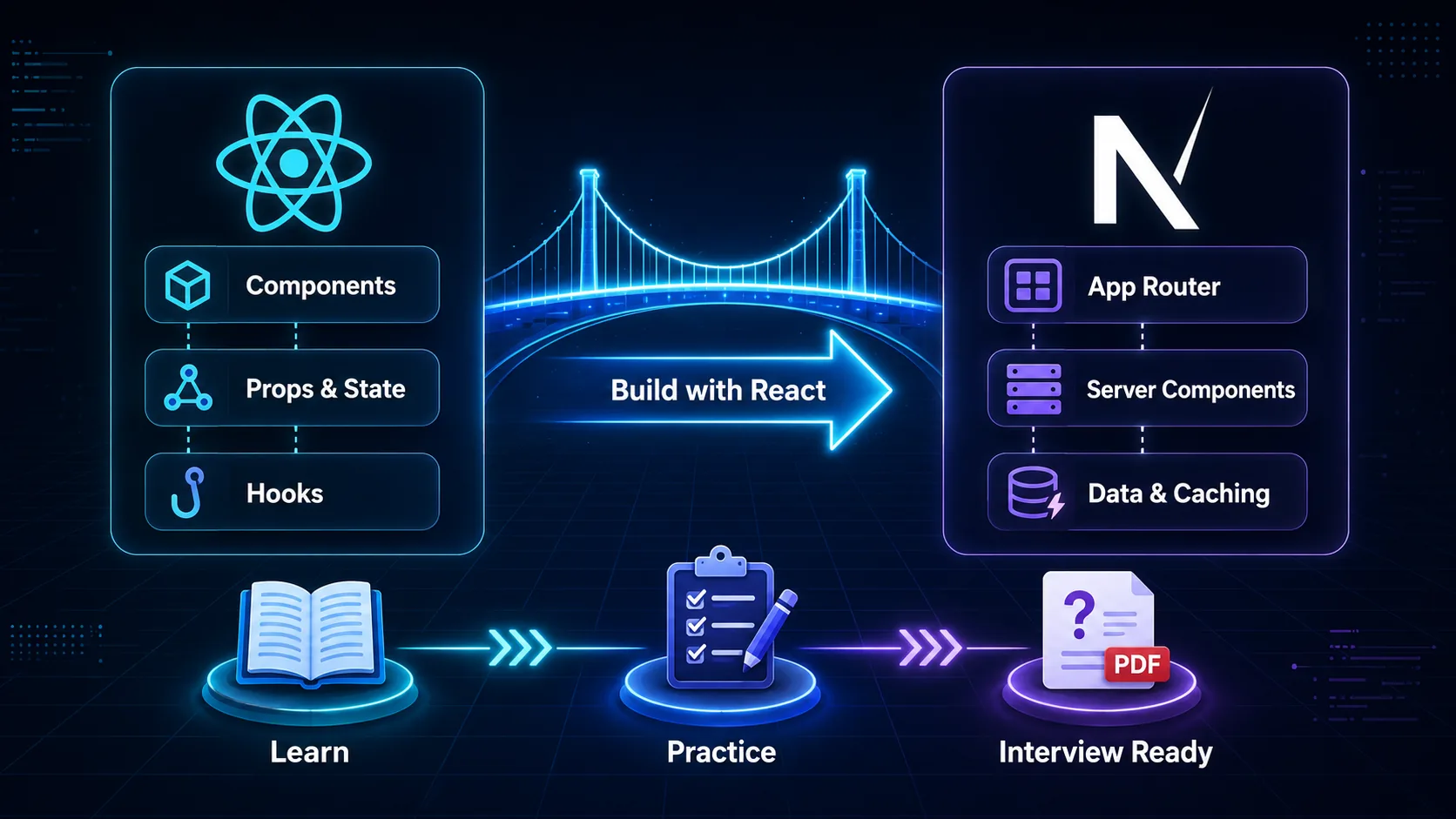
Important Next.js Topics Covered in the PDF
1. Next.js Fundamentals
Interviewers may begin by asking why Next.js is used when React already exists.
React focuses mainly on building interfaces. Next.js provides a structured framework for creating complete web applications. It adds routing, rendering options, server capabilities, performance features, metadata APIs, and development conventions.
Important introductory topics include:
- File-based routing
- App Router
- Pages and layouts
- Nested routes
- Dynamic routes
- Navigation
- Loading interfaces
- Error handling
- Not-found pages
- Route groups
In the App Router, folders are used to define route segments, while special files such as page, layout, loading, error, and not-found control the behavior and interface of a route.
A layout can wrap multiple pages and preserve shared UI, such as a navigation bar or sidebar, while users move between related routes.
2. Server and Client Components
Server and Client Components are essential Next.js interview topics.
In the App Router, components are Server Components by default. Server Components can render on the server, access server-side resources, and help prevent unnecessary client-side JavaScript from being sent to the browser.
Client Components are used when a component needs browser APIs, interactive event handlers, or client-side state and effects. A Client Component entry point is declared with the "use client" directive.
A practical application can combine both types. For example, a product page may fetch and render product information in a Server Component while using a Client Component for an interactive “Add to Cart” button.
The goal is not to make every component a Server Component or every component a Client Component. Developers should choose the correct boundary based on data access, security, interactivity, and bundle size. Next.js Server and Client Components documentation
3. Rendering Strategies
Next.js can render content in different ways depending on application requirements.
Important rendering concepts include:
- Static rendering
- Dynamic rendering
- Server-side rendering
- Client-side rendering
- Streaming
- Partial rendering
- Revalidation
Static content can be generated in advance and served quickly. Dynamic content can be generated when a request requires fresh or user-specific information.
Client-side rendering can be useful for highly interactive information that does not need to appear in the initial server response. However, relying on it for all content may affect loading experience and search visibility.
Streaming allows the server to send parts of the page as they become ready instead of waiting for every data requirement to complete. A loading interface can provide immediate feedback while slower content is being prepared.
A strong interview answer should avoid claiming that one rendering strategy is always best. The correct approach depends on data freshness, personalization, SEO requirements, infrastructure costs, and user experience.
4. Data Fetching and Caching
Data fetching is another important part of Next.js interviews.
Server Components can fetch data directly on the server. Client Components may fetch data through client-side libraries or receive information from Server Components.
Candidates should understand:
- Fetching in Server Components
- Fetching in Client Components
- Parallel and sequential requests
- Loading states
- Streaming
- Request deduplication
- Caching
- Revalidation
- Dynamic data
Sequential fetching can create a request waterfall when one operation waits for another unnecessarily. Independent requests can often run in parallel to improve performance.
Caching behavior should be studied using the documentation that matches the Next.js version and configuration used by the project. Modern Next.js provides specific caching and revalidation APIs, and these behaviors have evolved across versions. Next.js data-fetching documentation
5. Server Actions and Route Handlers
Server Actions are asynchronous server functions that can be used for operations such as form submissions and data mutations. They can help reduce the need to create a separate API endpoint for certain application workflows.
A Server Action may:
- Receive submitted form data
- Validate user input
- Check authentication and authorization
- Update a database
- Revalidate affected content
- Redirect the user
Server Actions must still be treated as server endpoints from a security perspective. Developers should validate all input and verify whether the current user has permission to perform the requested operation.
Route Handlers allow developers to create custom HTTP endpoints inside the App Router. They can process methods such as GET, POST, PUT, PATCH, and DELETE.
They are useful for public APIs, webhooks, mobile application backends, integrations, and endpoints that need direct control over request and response objects.
6. SEO and Metadata
Next.js is commonly selected for websites where search visibility matters. It can render meaningful page content on the server and provides tools for managing metadata.
Important SEO topics include:
- Page titles
- Meta descriptions
- Canonical URLs
- Open Graph data
- Robots directives
- Sitemaps
- Structured data
- Image optimization
- Semantic HTML
- Internal linking
Next.js cannot guarantee high rankings by itself. Search performance also depends on content quality, search intent, site authority, page experience, crawlability, internal links, and technical correctness.
Developers should create unique metadata for important pages and avoid publishing duplicate or low-value content. Dynamic metadata can be generated for blog articles, product pages, company profiles, and other database-driven routes.
7. Authentication and Security
React and Next.js developers are expected to understand basic web security.
Important security practices include:
- Validating input on the server
- Verifying authentication and authorization
- Protecting secrets
- Using secure cookies
- Preventing cross-site scripting
- Handling CSRF risks
- Applying rate limits
- Avoiding sensitive data exposure
- Validating uploaded files
- Securing database queries
Environment variables containing database passwords, private API keys, or secret tokens must never be exposed to browser code.
Authentication confirms who a user is. Authorization determines what that user is allowed to do. Checking only whether a user is logged in is not enough when the operation requires a specific role or ownership permission.
Middleware may help with early redirects and route-level checks, but sensitive operations should still verify permission close to the database action or protected resource.
How to Use This PDF for Interview Preparation
Reading all 100 answers once is not enough. You need a structured preparation method.
Step 1: Test Your Existing Knowledge
Read each question before looking at its answer. Try to explain the topic aloud in your own words. This will show you which concepts you already understand and which ones need more work.
Mark each question as:
- Confident
- Needs revision
- Not understood
Start your revision with the questions in the last two categories.
Step 2: Understand Instead of Memorizing
Do not memorize every answer word for word. Interviewers often ask follow-up questions or change the wording of the original question.
For each concept, understand four things:
- What it is
- Why it is used
- How it works
- Where you used it
For example, if you are learning useEffect, do not stop after learning its definition. Understand dependency handling, cleanup functions, common misuse, and a practical project example.
Step 3: Connect Answers to Your Projects
Practical examples make answers more believable.
You may say:
“In my blog project, I used dynamic routes for individual article pages. I generated metadata based on each article and fetched the article data on the server.”
This answer shows that you understand both the concept and its real-world implementation.
Prepare examples involving forms, authentication, APIs, reusable components, responsive design, database operations, caching, error handling, and deployment.
Step 4: Practise Speaking Clearly
Technical knowledge alone may not be enough if you cannot explain it clearly.
Use this answer structure:
- Start with a direct definition
- Explain how it works
- Give one practical example
- Mention an important limitation or best practice
Keep your initial answer focused. Allow the interviewer to ask follow-up questions instead of trying to explain the entire technology in one response.
Step 5: Build a Small Revision Project
Create a small Next.js application containing:
- Multiple pages
- A shared layout
- Dynamic routes
- Server and Client Components
- A form
- A Server Action or Route Handler
- Data fetching
- Loading and error interfaces
- Metadata
- Basic authentication
- Deployment
Building these features will help you remember more than passive reading.
Common Mistakes Candidates Should Avoid
One common mistake is giving only textbook definitions. Interviewers want to understand how you think and whether you can apply a concept.
Another mistake is claiming that a particular tool is always the best option. Technology decisions usually depend on project requirements.
Candidates should also avoid confusing related concepts such as:
- Props and state
useMemoanduseCallback- Server and Client Components
- Authentication and authorization
- Static and dynamic rendering
- Server Actions and Route Handlers
- React and Next.js
If you do not know an answer, be honest. Explain what you understand and how you would verify the remaining details. A thoughtful partial answer is better than an incorrect answer delivered with confidence.
Final Thoughts
React.js and Next.js interviews can cover a wide range of topics, but preparation becomes manageable when concepts are organized into clear sections.
Begin with React fundamentals, components, props, state, Hooks, forms, and rendering. Then move to advanced areas such as state architecture, performance, testing, and error handling.
For Next.js, focus on the App Router, routing, layouts, Server and Client Components, data fetching, rendering, caching, Server Actions, Route Handlers, metadata, security, and deployment.
The React.js and Next.js Interview Questions and Answers PDF gives you 100 organized questions in one resource. Use it for daily revision, speaking practice, mock interviews, and last-minute preparation.
Most importantly, connect every major concept to something you have built. Interviewers remember candidates who can move beyond definitions and explain how a technology helped them solve a real problem.
Frequently Asked Questions
1. How many questions are included in the React.js and Next.js interview PDF?
The PDF contains exactly 100 interview questions with answers. It includes 50 questions about React.js and 50 questions about Next.js. The questions cover beginner, intermediate, and advanced concepts.
2. Is this PDF useful for freshers?
Yes. The answers are written in simple English and explain technical concepts step by step. Freshers can use it to learn the fundamentals, while experienced developers can use it for revision before an interview.
3. Does the PDF cover the Next.js App Router?
Yes. It covers App Router concepts such as pages, layouts, nested routes, dynamic routes, Server and Client Components, data fetching, loading interfaces, Server Actions, Route Handlers, metadata, caching, security, and deployment.
4. Is reading 100 questions enough to clear a React.js interview?
The PDF provides a strong preparation foundation, but candidates should also build projects, practise coding, revise JavaScript fundamentals, and explain answers aloud. Interview success depends on conceptual knowledge, practical experience, communication, and problem-solving ability.
5. How should I prepare for a React.js and Next.js interview in less time?
Start with frequently asked topics such as components, props, state, Hooks, rendering, routing, Server and Client Components, data fetching, caching, API development, and authentication. Revise the PDF daily, practise explaining answers without reading, and connect each topic to a project you have built.