
How to Secure a Server: 18 Essential Server Security Best Practices
how to secure a Linux or Ubuntu server with practical security measures including SSH protection, firewall configuration, HTTPS, database security, backups, monitoring, access control, and server hardening best practices.

Table of Content
Table of Content
A server is often the backbone of a modern website or application. It may store customer information, run APIs, process authentication requests, communicate with databases, serve website files, and connect with third-party services. Because so many critical operations happen on a server, compromising it can give an attacker access to much more than a single web page.
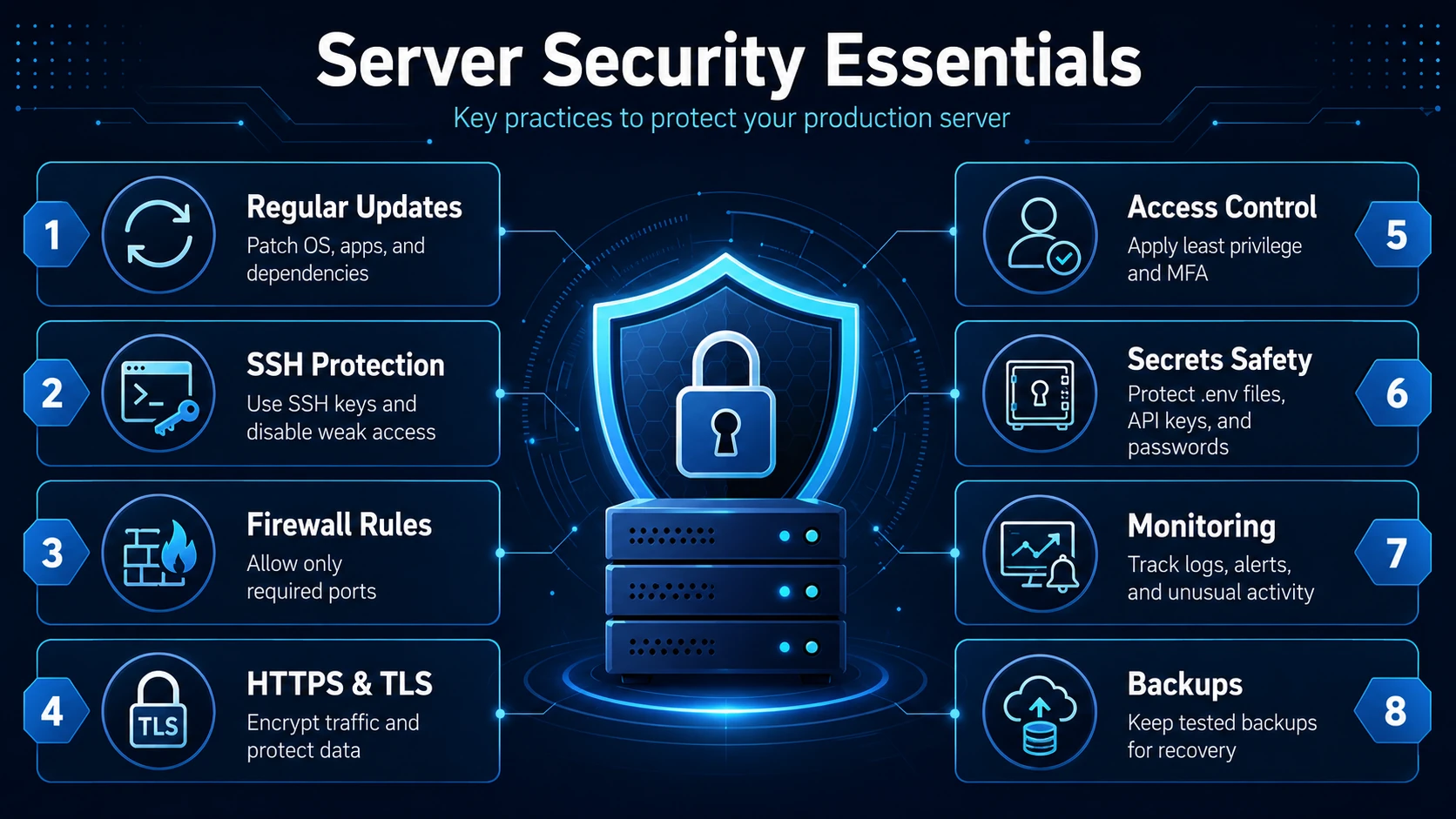
The difficult part about server security is that there is no single setting, firewall, or security tool that can make a server completely secure. Good security comes from multiple protective layers working together.
This approach is commonly called defense in depth.
Instead of assuming that one security control will stop every attack, you protect the operating system, network, administrator accounts, applications, databases, credentials, backups, and monitoring systems separately.
The NIST Cybersecurity Framework takes a similar lifecycle-oriented approach to cybersecurity by organizing security activities around governance, identification, protection, detection, response, and recovery.
In this guide, we will look at practical steps you can take to secure a Linux production server, especially an Ubuntu-based VPS or cloud server.
1. Start With a Minimal Server
One of the simplest ways to improve security is to reduce the number of applications and services installed on the server.
Every additional package, service, control panel, database, runtime, or network daemon increases the server's potential attack surface.
For example, imagine that your production server only needs:
- Nginx
- Node.js
- MySQL
- SSH
- PM2
Installing FTP servers, database administration panels, development tools, mail servers, or other software that is not actually required gives you more components to maintain and potentially more vulnerabilities to manage.
Before adding any software to a production server, ask:
Does the application actually require this service?
If the answer is no, avoid installing it.
You should also periodically check which services are running:
systemctl --type=service --state=running
To check which network ports are listening:
sudo ss -tulpn
If you discover a service that should not be publicly accessible, investigate it rather than simply assuming it is safe.
A smaller server footprint is generally easier to monitor, patch, understand, and secure.
2. Keep the Operating System Updated
Software vulnerabilities are continuously discovered in operating systems, libraries, web servers, databases, frameworks, and other packages.
Running outdated software may leave vulnerabilities open even when fixes are already available.
On Ubuntu, administrators should regularly update the package index and install available updates:
sudo apt update
sudo apt upgrade
Ubuntu specifically recommends regularly updating the system to remain protected against known vulnerabilities.
For servers that need automatic security patching, Ubuntu also supports unattended-upgrades:
sudo apt install unattended-upgrades
Ubuntu's current server documentation explains that unattended upgrades can automatically install security updates and normally runs daily when configured through the system's update mechanisms.
However, production servers should still have an update strategy.
For important infrastructure:
- Maintain backups before major updates.
- Test significant application or runtime upgrades when possible.
- Monitor the application after updating.
- Schedule maintenance windows for changes that may require a restart.
- Review update logs when automatic updates are enabled.
Updating software is important, but blindly changing critical production dependencies without testing can also create availability problems.
Security and reliability need to be managed together.
3. Secure SSH Access
SSH is one of the most important services on a Linux server because administrators commonly use it to control the server remotely.
If an attacker gains SSH access with administrative privileges, they may effectively control the entire server.
Use SSH Keys Instead of Password-Only Authentication
Public-key authentication is generally preferable to relying only on passwords for administrative SSH access.
Ubuntu's OpenSSH documentation supports public-key authentication and currently recommends Ed25519 as a key type for SSH authentication.
You can generate an SSH key locally using:
ssh-keygen -t ed25519
Then copy the public key to the server.
Once you have verified that key-based login works correctly, you can consider disabling password authentication in the SSH configuration.
For example:
PasswordAuthentication no
Then validate your SSH configuration before restarting or reloading the SSH service.
Important: Never disable password authentication until you have successfully tested SSH key access in another terminal session. Otherwise, you could lock yourself out of the server.
Avoid Direct Root Login
Instead of regularly logging directly into the root account, create a normal administrative user and use sudo only when elevated permissions are required.
Ubuntu's user-management model supports granting administrative privileges through the sudo group rather than requiring routine use of the root password.
This makes administrative activity easier to control and reduces unnecessary root-level access.
4. Configure a Firewall
A firewall allows you to control which network traffic is allowed to reach your server.
For an ordinary web application, you may only need a few public ports.
For example:
- Port 22 - SSH
- Port 80 - HTTP
- Port 443 - HTTPS
Your database port usually does not need to be publicly accessible if the application and database run on the same server.
Ubuntu provides UFW, or Uncomplicated Firewall, as its standard user-friendly firewall configuration tool.
A basic configuration might look like:
sudo ufw default deny incoming
sudo ufw default allow outgoing
sudo ufw allow OpenSSH
sudo ufw allow 80/tcp
sudo ufw allow 443/tcp
sudo ufw enable
Check the firewall status using:
sudo ufw status
One critical rule when working remotely is:
Always allow your SSH connection before enabling restrictive firewall rules.
Otherwise, you can accidentally block your own administrative access.
You should also avoid exposing development ports such as:
3000
5000
5001
8080
directly to the internet unless there is a genuine reason.
A better architecture is normally:
Internet
|
v
Nginx :443
|
v
Application :5000
|
v
Database
The internal application port can listen locally while Nginx acts as the public reverse proxy.
5. Use HTTPS Everywhere
Traffic between users and your server should be encrypted.
Without HTTPS, information transmitted over the network may be exposed or manipulated under certain attack conditions.
OWASP recommends that secure REST services provide HTTPS endpoints because TLS protects credentials and data transmitted between the client and server.
For websites and APIs, configure a valid TLS certificate and automatically redirect HTTP traffic to HTTPS.
A typical production structure is:
https://example.com
https://example.com/api
instead of exposing something such as:
http://example.com:5000
If you use Nginx, it can handle TLS termination and forward requests internally to the application.
Also make sure certificates are renewed before they expire.
6. Never Expose Your Database Directly Unless Necessary
One common server-security mistake is allowing a database to listen publicly on the internet.
If your backend and database run on the same server, MySQL or PostgreSQL can normally communicate through localhost or a private interface.
For example:
Backend -> localhost:3306 -> MySQL
There is usually no need for:
Internet -> Server IP:3306
Your firewall should block database ports from public access unless remote database connections are specifically required.
If remote database administration is necessary, consider restricting access to trusted IP addresses, a private network, or a VPN rather than exposing the database globally.
Database accounts should also follow the principle of least privilege.
Your application's database user should receive only the permissions it actually needs instead of automatically receiving unrestricted administrative permissions.
The principle of least privilege is a widely established security control and appears throughout NIST security guidance.
7. Protect Environment Variables and Secrets
Applications often require sensitive information such as:
DATABASE_PASSWORD
JWT_SECRET
API_KEY
SMTP_PASSWORD
CLOUDINARY_SECRET
PAYMENT_GATEWAY_SECRET
These values should never be exposed in public source code.
One of the most dangerous mistakes a developer can make is accidentally committing an .env file to a public Git repository.
At minimum, add it to .gitignore:
.env
.env.local
.env.production
For larger production environments, consider using dedicated secret-management solutions rather than storing credentials in multiple configuration files.
OWASP recommends treating secrets throughout their complete lifecycle, including creation, storage, rotation, revocation, and auditing.
You should also rotate a credential immediately if you believe it has been exposed.
Deleting it from GitHub after publication does not automatically make the old secret safe. Assume exposed credentials may have been copied.
8. Apply the Principle of Least Privilege
Not every user, process, application, or database account needs full administrative permissions.
For example, your Node.js application normally should not need to run as the root user.
Consider this:
Root
├── System administration
├── Server configuration
└── Critical maintenance

Application user
├── Run application
├── Read necessary files
└── Access required services only
If the application is compromised while running as root, the attacker may immediately inherit extremely powerful permissions.
If the application runs under a restricted user, the attacker's capabilities may be limited.
This concept should also apply to:
- Linux users
- Database users
- API credentials
- cloud IAM accounts
- deployment pipelines
- storage permissions
- service accounts
Give each component only the access required to perform its job.
9. Add Multi-Factor Authentication Where Possible
Passwords can be stolen through phishing, credential leaks, malware, or password reuse.
Multi-factor authentication adds another layer of verification.
NIST guidance recommends MFA for privileged access in security-sensitive environments, and Ubuntu documents two-factor authentication options for SSH.
MFA is especially important for services connected to your infrastructure, including:
- VPS provider accounts
- cloud dashboards
- GitHub or GitLab
- domain registrar
- Cloudflare
- email accounts
- database administration services
- CI/CD platforms
Protecting the server but leaving the cloud-provider account protected by a weak password creates another path for compromise.
Infrastructure security must include every account capable of modifying infrastructure.
10. Secure Your Web Application, Not Just the VPS
A perfectly configured firewall cannot protect an application that contains severe application-level vulnerabilities.
Your website or API must also be developed securely.
Common risks include:
- SQL injection
- cross-site scripting
- broken authentication
- insecure authorization
- unrestricted file uploads
- exposed API keys
- weak session handling
- insecure password reset mechanisms
- insufficient input validation
For APIs, validate every input received from users.
Never assume frontend validation is sufficient because attackers can send requests directly to your API without using your website.
If your application supports file uploads, additional protections are required.
OWASP recommends controls such as allowing only necessary extensions, validating actual file types, limiting file sizes, generating safe filenames, and requiring authorization for upload functionality.
11. Configure Security Headers
HTTP security headers provide browsers with additional instructions about how your website's content should be handled.
Useful headers can include:
Content-Security-Policy
X-Content-Type-Options
Referrer-Policy
Strict-Transport-Security
Depending on the application's architecture, additional headers may also be appropriate.
OWASP notes that properly configured HTTP response headers can help reduce risks such as cross-site scripting, clickjacking, and information disclosure.
Content Security Policy, or CSP, is particularly useful as an additional layer of browser-side protection against unauthorized content execution and loading.
Security headers should still be configured carefully because an overly restrictive policy may break legitimate application functionality.
12. Monitor Server Logs
Security does not end after configuring the server.
You also need visibility into what is happening.
Important logs may include:
- SSH authentication logs
- Nginx access logs
- Nginx error logs
- application logs
- database logs
- firewall activity
- operating system logs
- authentication failures
- administrative actions
For example, Ubuntu systems may expose useful information through:
journalctl
Application process managers such as PM2 also provide application logs.
Monitoring helps you identify patterns such as:
Hundreds of failed SSH attempts
Thousands of requests to unusual URLs
Repeated authentication failures
Unexpected application crashes
Unusual administrator logins
Sudden traffic increases
OWASP treats security logging as an important part of application security because logs provide information that can help identify operational and security events.
Logs are most useful when somebody actually reviews or monitors them.
13. Protect Against Brute-Force and Automated Attacks
Public servers are constantly scanned by automated systems.
Attackers may repeatedly attempt:
/admin
/wp-admin
/.env
/phpmyadmin
/config
/.git
even when your website does not use WordPress, PHP, or those paths.
This is normal behavior on internet-facing infrastructure.
You can reduce automated attack risk through several layers:
- SSH keys
- firewall restrictions
- authentication rate limiting
- application-level rate limiting
- reverse-proxy controls
- temporary blocking after repeated failed attempts
- CDN or web application firewall protections
You should also avoid revealing unnecessarily detailed error messages to users.
For example, a production API should not expose database passwords, internal file paths, stack traces, or server configuration details through public responses.
14. Use AppArmor or Similar System-Level Restrictions
Ubuntu includes AppArmor, which can restrict what applications are allowed to access or perform.
AppArmor profiles can operate in learning/complain mode or enforcement mode, allowing administrators to gradually develop and enforce policies around application capabilities.
This provides another layer of protection.
If a service is compromised, system-level restrictions may reduce what that service can access.
Such controls can require more administration, so they should be implemented carefully and tested before being enforced on critical production workloads.
15. Create Reliable Backups
Security is not only about preventing attacks.
It is also about recovering when something goes wrong.
A server may become unavailable because of:
- ransomware
- accidental deletion
- database corruption
- failed deployment
- hardware failure
- administrator error
- compromised credentials
Maintain backups of important information such as:
- databases
- uploaded files
- application configuration
- critical environment configuration
- infrastructure configuration
- essential business data
At least one backup copy should be separated from the production server so compromising the server does not automatically destroy every backup.
CISA continues to recommend maintaining protected or offline backups and having a recovery plan as important defenses against ransomware and destructive incidents.
Most importantly, test your backups.
A backup that cannot be restored is not a reliable recovery strategy.
16. Separate Production and Development Environments
Developers sometimes test directly on production because it feels faster.
That habit increases both security and reliability risks.
Ideally, maintain separate environments:
Development
|
v
Staging
|
v
Production
Test major changes before deploying them to the live environment.
Production databases should also not casually be copied to developer laptops, especially when they contain customer information.
Development environments should use sanitized or synthetic data whenever practical.
17. Regularly Review User Accounts and Permissions
As projects grow, old accounts often remain forgotten.
A former developer, contractor, test account, or unused deployment key may continue to have server access months after it is needed.
Periodically review:
cat /etc/passwd
and check which users have administrative privileges.
Review:
- SSH authorized keys
- sudo permissions
- GitHub deployment keys
- database accounts
- cloud IAM users
- API tokens
- CI/CD credentials
Remove anything that is no longer required.
Security becomes weaker when nobody remembers who has access.
18. Build an Incident Response Plan
You should decide what to do before the server is compromised.
If suspicious activity appears, your response may involve:
- Restricting external access.
- Preserving relevant logs and evidence.
- Revoking potentially compromised credentials.
- Rotating API keys and passwords.
- Investigating how access was obtained.
- Patching the vulnerability.
- Restoring clean data or infrastructure when necessary.
- Monitoring for repeated compromise.
Do not simply change one password and assume the problem is solved.
If an attacker gained privileged access, they may have created additional accounts, SSH keys, scheduled tasks, modified applications, or other persistence mechanisms.
For serious incidents, rebuilding the affected system from a known-clean configuration may be safer than attempting to manually remove every modification.
A Practical Secure Server Architecture
For a typical web application, a sensible architecture may look like this:
Internet
|
v
DNS / CDN / WAF
|
v
HTTPS :443
|
v
+-------------+
| Nginx |
+-------------+
|
localhost/private
|
v
+-------------+
| Application |
| Node.js API |
+-------------+
|
localhost/private
|
v
+-------------+
| MySQL |
+-------------+
The important idea is that only the services that genuinely need public internet access should be exposed publicly.
The database can remain private.
The application runtime can remain behind the reverse proxy.
Administrative access can be separately protected through SSH keys, MFA where appropriate, firewall rules, and privileged-access controls.
Server Security Checklist
Before calling a production server secure enough to operate, verify that you have covered the fundamentals:
- Keep the operating system and packages updated.
- Install only necessary services.
- Configure a firewall.
- Expose only required ports.
- Use SSH keys.
- Avoid routine direct root login.
- Disable unnecessary SSH password authentication only after key access is verified.
- Use HTTPS.
- Keep databases private whenever possible.
- Protect
.envfiles and secrets. - Use separate database accounts with limited permissions.
- Avoid running applications as root.
- Implement input validation.
- Secure file uploads.
- Configure appropriate security headers.
- Enable logging and monitoring.
- Protect infrastructure accounts with MFA.
- Maintain separate backups.
- Test backup restoration.
- Review users and SSH keys regularly.
- Remove unused services and accounts.
- Prepare an incident response process.
Server security is not something you configure once and forget.
It is an ongoing process.
Conclusion
Securing a server does not require installing dozens of security products. The strongest starting point is usually disciplined configuration.
Keep the server minimal. Patch vulnerabilities. Restrict network access. Protect SSH. Encrypt traffic. Keep databases private. Protect secrets. Apply least privilege. Monitor suspicious activity. Maintain reliable backups. Review permissions regularly.
More importantly, think about the server as part of a larger system.
Your VPS may be secure, but your infrastructure can still be compromised if an attacker obtains access to your GitHub account, cloud dashboard, domain registrar, CI/CD pipeline, database credentials, or administrator email.
Effective server security therefore requires multiple layers.
The goal is not to create a server that can never be attacked that is unrealistic. The goal is to make unauthorized access significantly more difficult, reduce the damage an attacker can cause if one layer fails, detect suspicious activity quickly, and ensure that the system can recover safely.
That is what turns a basic server deployment into a production-ready security strategy.
Frequently Asked Questions
1. Is a firewall enough to secure a server?
No. A firewall is only one layer of server security. It can restrict unwanted network connections, but it cannot fix vulnerable application code, stolen credentials, weak authentication, exposed secrets, outdated packages, or excessive user permissions. A secure server should combine firewall rules with patching, SSH security, HTTPS, least privilege, application security, monitoring, and backups.
2. Should I disable SSH password login on my server?
For administrative servers, SSH key authentication is generally preferable to relying only on passwords. However, you should configure and successfully test key-based login before disabling password authentication. Keep an existing SSH session open while testing configuration changes so you have a recovery path if the new configuration does not work.
3. Which ports should normally be open on a web server?
A typical public web server may require port 80 for HTTP, port 443 for HTTPS, and an administrative SSH port such as port 22. The exact requirements depend on the application. Database ports, development servers, management interfaces, and internal APIs generally should not be publicly accessible unless there is a specific operational requirement and appropriate access controls are in place.
4. How often should a production server be updated?
Security updates should be reviewed and applied regularly, with critical vulnerabilities handled promptly. Ubuntu can automate security updates using unattended-upgrades, but production environments should still monitor update results and test significant software changes where necessary. The appropriate schedule depends on the server's criticality, availability requirements, and risk profile.
5. What should I do if I think my server has been hacked?
Restrict unnecessary access, preserve logs, revoke potentially compromised credentials, rotate secrets, and investigate the source and scope of the compromise. Check user accounts, SSH keys, running processes, applications, scheduled tasks, and infrastructure credentials. For a serious privileged compromise, rebuilding the server from a trusted configuration and restoring verified clean data may be safer than assuming every malicious modification can be discovered manually.