
Top 70 JavaScript Interview Questions PDF for Freshers
Download 70 JavaScript Interview Questions PDF for freshers. Revise variables, functions, arrays, objects, closures, promises, DOM, and async programming
JavaScript is one of the most widely used programming languages in modern web development. It allows developers to create interactive websites, build web applications, develop server-side APIs, and even create mobile and desktop applications.
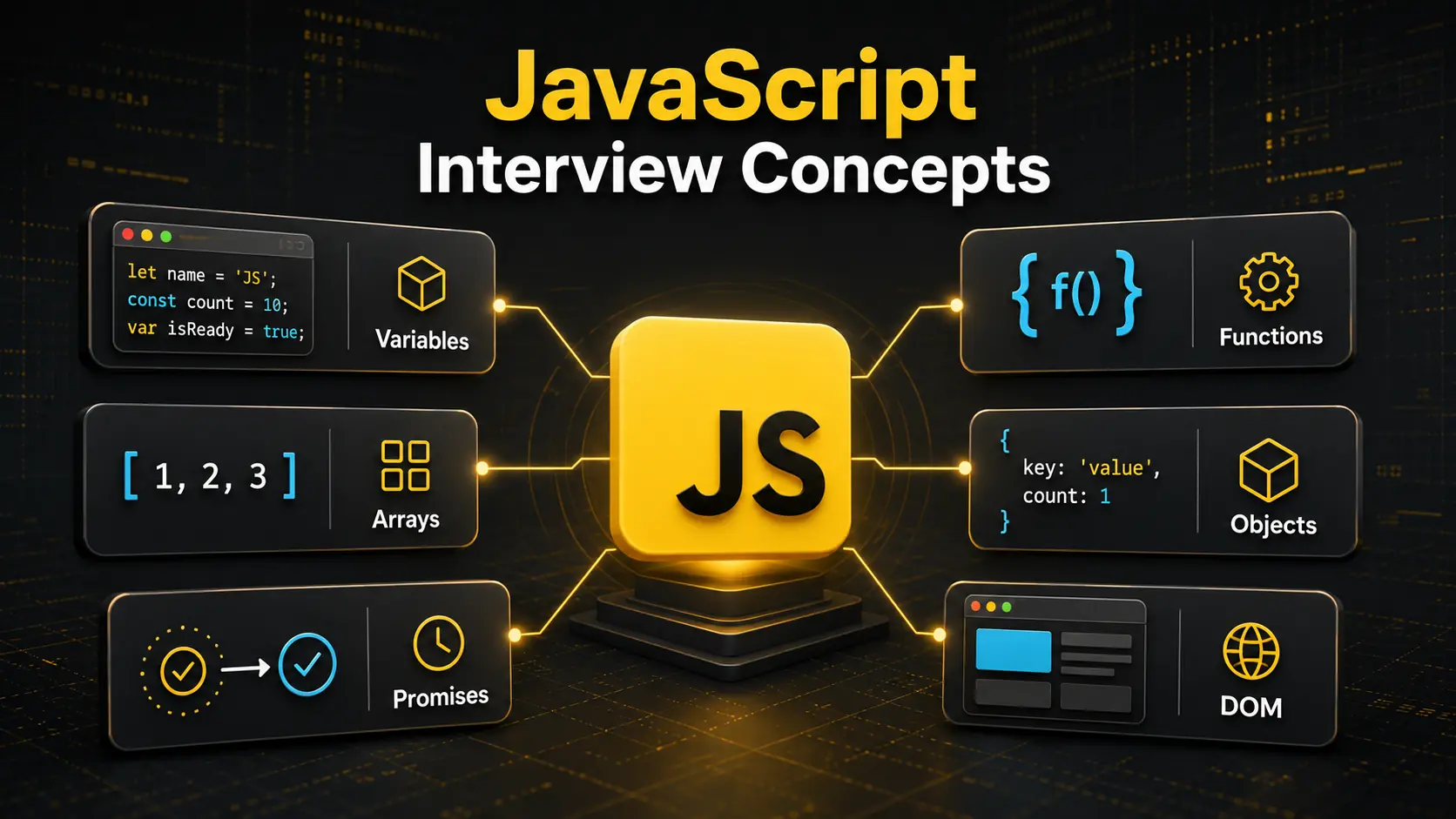
If you are preparing for a frontend developer, backend developer, full-stack developer, MERN Stack developer, or software engineering interview, JavaScript is one of the most important languages you should understand. Interviewers commonly ask questions about variables, data types, functions, arrays, objects, promises, closures, the DOM, and asynchronous programming.
To make your preparation easier, we have created a PDF containing 70 important JavaScript interview questions. These questions cover beginner, intermediate, and important practical concepts that are frequently discussed in fresher interviews, internships, campus placements, and technical viva examinations.
This guide explains the topics covered in the JavaScript interview questions PDF, why they matter, how you should prepare for them, and what mistakes you should avoid during your interview preparation.
Why Is JavaScript Important for Developers?
JavaScript was originally created to add interactivity to web pages. Today, it has grown into a complete programming ecosystem used across frontend, backend, mobile, desktop, cloud, and automation projects.
In frontend development, JavaScript controls interactive elements such as menus, forms, buttons, sliders, popups, animations, and dynamic content. Frameworks and libraries such as React, Angular, and Vue are also based on JavaScript.
With Node.js, developers can use JavaScript outside the browser. It can be used to create servers, REST APIs, authentication systems, command-line applications, and real-time services.
JavaScript is commonly used for:
- Interactive websites
- Single-page applications
- REST APIs
- Real-time chat applications
- E-commerce websites
- Admin dashboards
- Browser extensions
- Mobile applications
- Desktop applications
- Automation scripts
- Serverless functions
- Full-stack web applications
Because of this wide range of applications, JavaScript knowledge is required for many software development positions.
However, knowing how to write a few lines of JavaScript is not enough for an interview. You should understand how the language works, how it handles data, how functions behave, and how asynchronous operations are executed.
Why Do Interviewers Ask JavaScript Questions?
Interviewers use JavaScript questions to test both theoretical understanding and practical problem-solving ability.
A candidate may know how to use React or Node.js but still struggle with basic JavaScript concepts. For this reason, many interviewers begin with core JavaScript before asking framework-specific questions.
JavaScript interview questions help interviewers evaluate your understanding of:
- Variables and scope
- Primitive and non-primitive data types
- Type conversion
- Functions and callbacks
- Arrays and objects
- Closures
- Hoisting
- The
thiskeyword - Prototypes and inheritance
- DOM manipulation
- Events
- Promises
- Async and await
- The event loop
- Error handling
- Modern ES6+ features
Interviewers may also provide short code snippets and ask you to predict their output. These questions reveal whether you understand scope, coercion, closures, execution order, and asynchronous behaviour.
For a fresher role, you do not need to know every advanced JavaScript feature. However, your fundamentals should be clear enough to explain common concepts and write small programs confidently.
About the JavaScript Interview Questions PDF
The downloadable PDF contains 70 important JavaScript interview questions for students, beginners, and freshers.
It is designed to help you revise major JavaScript topics in a structured manner. Instead of searching for questions across multiple websites, you can use one PDF as a preparation checklist.
The PDF can be useful for:
- Frontend developer interviews
- Backend developer interviews
- MERN Stack interviews
- Full-stack developer interviews
- Web development internships
- Campus placements
- JavaScript viva examinations
- Technical assessments
- Coding interviews
- Self-assessment and revision
The questions cover both basic and intermediate concepts. Beginners can use them to identify important topics, while experienced learners can use them for quick revision before an interview.
The PDF contains questions rather than unnecessarily long explanations. Try answering each question in your own words. Whenever you cannot answer confidently, study that concept and create a small example.
JavaScript Fundamentals
Your preparation should begin with the fundamentals of JavaScript. Interviewers may ask what JavaScript is, where it runs, and how it differs from languages such as Java.
JavaScript is a high-level, dynamically typed programming language. It is one of the primary technologies used on the web alongside HTML and CSS.
HTML provides the structure of a page, CSS controls its design, and JavaScript adds behaviour and interactivity.
You should also understand the difference between JavaScript and Java. Despite the similarity in their names, they are different programming languages with different use cases, syntax rules, execution environments, and object models.
Important beginner-level topics include:
- History and purpose of JavaScript
- JavaScript engines
- Browser and server-side JavaScript
- Statements and expressions
- Comments
- Variables
- Data types
- Operators
- Type conversion
- Strict mode
JavaScript code is executed by an engine. Popular engines include V8, which is used by Chrome and Node.js, and SpiderMonkey, which is used by Firefox.
Understanding these basic ideas gives you a solid foundation for more advanced JavaScript topics.
Variables: Var, Let, and Const
JavaScript provides var, let, and const for declaring variables. The differences between these declarations are among the most frequently discussed topics in fresher interviews.
Variables declared with var are function-scoped and can generally be redeclared within the same scope. They are hoisted and initialized with undefined.
Variables declared with let are block-scoped. They can be reassigned but cannot be redeclared in the same block scope.
Variables declared with const are also block-scoped. A const variable must be initialized during declaration and cannot be reassigned.
However, declaring an object with const does not make the object completely immutable. The variable cannot be assigned a different object, but properties of the existing object can still be modified unless additional measures are used.
For modern JavaScript, developers generally use const by default and use let when reassignment is required. The use of var is less common in new projects, but it remains important for understanding older code and interview questions.
JavaScript Data Types
JavaScript data types are divided into primitive and non-primitive categories.
Primitive values include:
- String
- Number
- BigInt
- Boolean
- Undefined
- Null
- Symbol
Objects are non-primitive values. Arrays, functions, dates, maps, sets, and regular expressions are all object-related values in JavaScript.
A common interview question asks about the difference between null and undefined. An undefined value usually means that a value has not been assigned, while null is commonly used to represent the intentional absence of a value.
Another frequently discussed behaviour is that typeof null returns "object". This is a historical characteristic of JavaScript and not evidence that null behaves like a normal object.
You should also understand that JavaScript uses dynamic typing. A variable is not permanently restricted to one type and may hold values of different types at different times.
Type Conversion and Type Coercion
Type conversion occurs when one data type is changed into another. This conversion can be explicit or implicit.
Explicit conversion happens when the programmer intentionally uses functions such as Number(), String(), or Boolean().
Implicit conversion, also known as type coercion, happens automatically during certain operations or comparisons.
JavaScript coercion can sometimes produce surprising results. For example, the addition operator can perform numerical addition or string concatenation depending on the supplied values.
Interviewers often ask about the difference between == and ===.
The loose equality operator == may convert values before comparing them. The strict equality operator === compares both value and type without performing the same type coercion.
In most application code, strict equality is preferred because its behaviour is easier to understand and less likely to produce unexpected results.
Functions in JavaScript
Functions are reusable blocks of code designed to perform specific tasks. They are central to JavaScript development.
You should understand:
- Function declarations
- Function expressions
- Arrow functions
- Anonymous functions
- Callback functions
- Higher-order functions
- Default parameters
- Rest parameters
- Return values
A callback is a function supplied to another function so that it can be executed later or as part of another operation.
A higher-order function is a function that accepts another function as an argument, returns a function, or does both. Methods such as map(), filter(), and reduce() commonly use callback functions.
Arrow functions provide shorter syntax, but they do not behave exactly like regular functions. One important difference is that arrow functions do not create their own this binding. They use this from their surrounding lexical environment.
Arrow functions are useful in many situations, but regular functions may be more appropriate for object methods, constructors, and cases requiring a dynamic this.
Scope and Lexical Environment
Scope determines where a variable can be accessed.
JavaScript includes:
- Global scope
- Function scope
- Block scope
- Module scope
Variables declared using let and const are block-scoped. A block is commonly defined by curly braces in loops, conditions, and other statements.
The word lexical means that scope is determined by where code is written. An inner function can access variables from its outer scope because of lexical scoping.
Understanding scope is essential because it affects variable accessibility, closures, callbacks, and asynchronous code.
You should avoid creating unnecessary global variables. They can cause naming conflicts, make code harder to maintain, and introduce unexpected behaviour across different parts of an application.
Hoisting and the Temporal Dead Zone
Hoisting describes how JavaScript processes declarations before executing code.
Function declarations can often be called before the line where they appear in the source code. Variables declared with var are hoisted and initialized with undefined.
Declarations made with let and const are also processed before execution, but they cannot be accessed before their declaration is evaluated. The period between the beginning of the scope and the declaration is known as the temporal dead zone.
Interviewers frequently use output-based questions to test hoisting. Instead of memorizing a single example, understand how declarations are created during the execution setup and when their values become available.
Closures in JavaScript
A closure is created when a function remembers and accesses variables from its surrounding lexical scope, even after the outer function has completed execution.
Closures are used in:
- Data privacy
- Function factories
- Event handlers
- Callbacks
- Memoization
- Module patterns
- Maintaining state
For example, an outer function can define a private counter variable and return an inner function that updates it. The inner function retains access to the counter through closure.
Closures are powerful, but they can also keep data in memory longer than expected. Understanding their practical purpose is more valuable than memorizing a definition.
During an interview, explain closures with a small example and describe how the inner function retains access to its outer environment.
Arrays and Important Array Methods
Arrays store ordered collections of values. JavaScript arrays can contain values of different data types, although using consistent structures often makes application code easier to manage.
Important array methods include:
push()andpop()shift()andunshift()slice()andsplice()map()filter()reduce()find()some()every()forEach()includes()sort()
Interviewers may ask which methods mutate the original array and which return a new array.
For example, slice() returns a selected portion without changing the original array. In contrast, splice() can add, remove, or replace elements and modifies the original array.
The map() method creates a new array by transforming each element. The filter() method creates a new array containing elements that satisfy a condition. The reduce() method processes the array into a single accumulated result.
Do not only learn their definitions. Practise using these methods with real examples such as calculating totals, filtering products, transforming user data, and finding matching records.
Objects in JavaScript
Objects store information using key-value pairs. They are used to represent structured data such as users, products, orders, and application settings.
You should understand:
- Object creation
- Dot and bracket notation
- Adding and deleting properties
- Object methods
- Nested objects
- Object destructuring
- Property shorthand
- The spread operator
- Object copying
- Reference behaviour
Objects are assigned and compared by reference. If two variables point to the same object, a change through one variable can be visible through the other.
The spread operator can create a shallow copy, but nested objects remain shared unless they are copied separately. Interviewers may ask about the difference between shallow and deep copying.
Modern platforms provide structuredClone() for many deep-cloning use cases, but you should understand its supported value types and limitations rather than treating it as a universal solution.
The This Keyword
The value of this depends on how a function is called.
In an object method, this usually refers to the object used to call the method. In a constructor called with new, it refers to the newly created instance. Its value can also be set explicitly using call(), apply(), or bind().
Arrow functions do not define their own this. They capture it from the surrounding lexical context.
Many developers find this confusing because they try to determine its value based only on where the function is written. For regular functions, the call site is often the most important factor.
Practise examples involving methods, detached functions, arrow functions, event handlers, constructors, and explicit binding.
Prototypes and Inheritance
JavaScript uses prototype-based inheritance. Objects can inherit properties and methods from other objects through the prototype chain.
When JavaScript cannot find a requested property directly on an object, it looks for that property on its prototype. The search continues through the prototype chain until a match is found or the chain ends.
ES6 classes provide a cleaner syntax for constructing objects and implementing inheritance, but they still operate on top of JavaScript’s prototype system.
Important related concepts include:
- Constructor functions
- Prototypes
- Prototype chains
- Classes
- Constructors
- Instance methods
- Static methods
- The
extendskeyword - The
superkeyword
Understanding prototypes helps you answer questions about objects, inheritance, classes, and shared methods.
DOM Manipulation
The Document Object Model, or DOM, represents an HTML document as objects that JavaScript can access and modify.
JavaScript can use the DOM to:
- Select HTML elements
- Change text and styles
- Add or remove classes
- Create new elements
- Remove existing elements
- Read form values
- Respond to user actions
- Update content dynamically
Common selection methods include getElementById(), querySelector(), and querySelectorAll().
Interviewers may ask about the difference between innerHTML, innerText, and textContent. You should understand what each property reads or modifies and the possible security implications of inserting untrusted HTML.
Careless use of innerHTML with user-controlled content can introduce cross-site scripting vulnerabilities. Safe DOM updates and proper sanitization are important in production applications.
Events and Event Handling
Events represent actions that happen in a web page, such as clicks, keyboard input, form submissions, scrolling, and mouse movement.
The addEventListener() method allows JavaScript to attach event handlers to elements without overwriting other listeners.
Important event concepts include:
- Event objects
- Event bubbling
- Event capturing
- Event delegation
preventDefault()stopPropagation()
Event bubbling means an event generally travels from the target element upward through its ancestors. Event capturing travels in the opposite direction during an earlier phase.
Event delegation uses a handler on a parent element to manage events from its descendants. It can be useful when many similar elements need the same behaviour or when elements are added dynamically.
Synchronous and Asynchronous JavaScript
JavaScript executes synchronous statements in order, but many operations involve waiting. Network requests, timers, and user interactions should not block the application while they wait to finish.
Asynchronous JavaScript allows these tasks to be handled efficiently.
Important asynchronous concepts include:
- Callbacks
- Promises
- Async and await
- Timers
- The event loop
- Task queues
- Microtasks
A promise represents the eventual completion or failure of an asynchronous operation. It can be pending, fulfilled, or rejected.
The async keyword allows a function to return a promise, while await pauses execution within that asynchronous function until a promise settles. It provides a readable way to work with promise-based operations.
You should use try...catch when handling errors in many async and await workflows.
The Event Loop
The event loop is one of the most important intermediate JavaScript interview topics.
JavaScript runs application code on a call stack. Asynchronous operations can be handled by the surrounding runtime. When their callbacks are ready, they are scheduled through appropriate queues.
The event loop checks whether the call stack is empty and coordinates which queued work can run next.
Promise reactions are generally processed through the microtask queue, while timer callbacks are scheduled as tasks. Microtasks are processed before the runtime moves to the next task, which explains why a promise callback may run before a zero-delay timer callback.
You do not need to explain every runtime implementation detail during a fresher interview. However, you should understand why asynchronous callbacks do not always run in the order they appear in the source code.
ES6 and Modern JavaScript Features
Modern JavaScript introduced several features that make programs more readable and expressive.
Important ES6+ features include:
letandconst- Arrow functions
- Template literals
- Destructuring
- Spread syntax
- Rest parameters
- Default parameters
- Classes
- Modules
- Promises
- Optional chaining
- Nullish coalescing
Template literals use backticks and support embedded expressions. Destructuring extracts values from arrays or properties from objects. The spread syntax expands iterable values or copies enumerable properties into a new container.
Optional chaining allows safe access to nested properties when an intermediate value may be nullish. Nullish coalescing provides a fallback only when the value is null or undefined, rather than for every falsy value.
These features are commonly used in React, Node.js, and modern web development projects.
Error Handling in JavaScript
Error handling prevents an application from failing without explanation and allows developers to manage unexpected situations.
JavaScript provides:
trycatchfinallythrow- The
Errorobject
The try block contains code that may fail. The catch block handles the error. The optional finally block runs after the operation regardless of whether an error occurred.
Developers can use throw to create and signal errors intentionally. Meaningful error messages make debugging easier and help applications respond appropriately.
In production applications, errors should be handled at suitable boundaries. Silently ignoring errors can make problems harder to identify and may create unreliable behaviour.
How to Prepare Using the JavaScript Interview Questions PDF
The PDF will be most useful when you treat it as a structured learning tool rather than a document to memorize.
Follow this preparation process:
- Divide the questions into topic-based groups.
- Answer each question without checking external help.
- Mark questions you cannot explain clearly.
- Study those concepts using practical examples.
- Write and execute small JavaScript programs.
- Practise predicting the output of code snippets.
- Explain important concepts aloud.
- Revise difficult questions after a few days.
Start with variables, data types, operators, conditions, loops, and functions. Then study arrays, objects, scope, hoisting, and closures. Finally, focus on DOM events, promises, async and await, prototypes, and the event loop.
You can run basic JavaScript programs in a browser console or a Node.js environment.
JavaScript Programs You Should Practise
Theory alone is not enough for a technical interview. Practise small coding problems such as:
- Reversing a string
- Checking a palindrome
- Finding the largest number in an array
- Removing duplicate array values
- Counting character occurrences
- Calculating a factorial
- Generating the Fibonacci sequence
- Sorting an array
- Flattening a nested array
- Grouping objects by a property
- Finding duplicate values
- Creating a debounce function
- Creating a basic promise
- Fetching data from an API
- Handling form events
After solving a problem, try to explain the time and space complexity of your approach. Even for fresher interviews, basic complexity awareness can help demonstrate better problem-solving ability.
Common Mistakes to Avoid
Many students move directly to React or Node.js without developing strong JavaScript fundamentals. This creates difficulty when interviews focus on the language itself.
Avoid these common mistakes:
- Memorizing answers without understanding examples
- Confusing
==with=== - Ignoring the differences between
var,let, andconst - Misunderstanding object and array references
- Using arrow functions everywhere without understanding
this - Ignoring closures and lexical scope
- Learning async and await without understanding promises
- Assuming a zero-delay timer executes immediately
- Mutating arrays or objects unintentionally
- Ignoring rejected promises
- Using
innerHTMLcarelessly - Practising only framework-based questions
- Not writing JavaScript without tutorials
Interviewers appreciate candidates who can clearly admit what they do not know. If you are unsure, explain your current understanding and how you would verify the behaviour.
Final Thoughts
The 70 JavaScript Interview Questions PDF provides a focused preparation resource for students, freshers, and aspiring web developers. It covers the concepts commonly required for frontend, backend, full-stack, and MERN Stack interviews.
Use the PDF to identify your strong and weak areas. Do not stop after reading the questions. Write examples, test unexpected cases, practise code output, and explain concepts in your own words.
Pay special attention to variables, data types, functions, arrays, objects, scope, closures, the this keyword, promises, and the event loop. These topics are closely connected and frequently appear in technical interviews.
JavaScript may initially feel unpredictable because of features such as type coercion, asynchronous execution, and dynamic typing. Once you understand the rules behind these behaviours, the language becomes much easier to use and explain.
Consistent practice is more valuable than one long revision session. Study a small set of questions every day, solve coding problems, and regularly revisit difficult concepts. This approach will improve both your technical knowledge and your confidence during interviews.
Frequently Asked Questions
1. Is this JavaScript interview questions PDF suitable for freshers?
Yes. The PDF is designed for beginners, students, and fresh graduates preparing for internships, campus placements, frontend roles, backend roles, and full-stack development interviews.
2. How many JavaScript questions are included in the PDF?
The PDF contains 70 important JavaScript interview questions. It covers variables, data types, functions, arrays, objects, scope, closures, DOM manipulation, promises, async and await, and the event loop.
3. Are these questions useful for MERN Stack interviews?
Yes. JavaScript is the core language used throughout the MERN Stack. Strong JavaScript fundamentals will help you answer questions related to React, Node.js, Express.js, asynchronous APIs, state management, and application logic.
4. How should I prepare for a JavaScript technical interview?
Begin with core concepts and then practise coding problems. Write programs using arrays, objects, functions, closures, promises, and DOM events. You should also practise output-based questions and explain your solutions aloud.
5. Which JavaScript topics are most important for freshers?
Freshers should focus on var, let, and const, data types, equality operators, functions, arrays, objects, scope, hoisting, closures, this, DOM events, promises, async and await, and the event loop.