
PHP Notes PDF: Complete PHP Programming Guide from Beginner to Advanced
Download free PHP Notes PDF covering syntax, OOP, MySQL, forms, sessions, APIs, and security. Includes code examples, diagrams, and practice exercises.
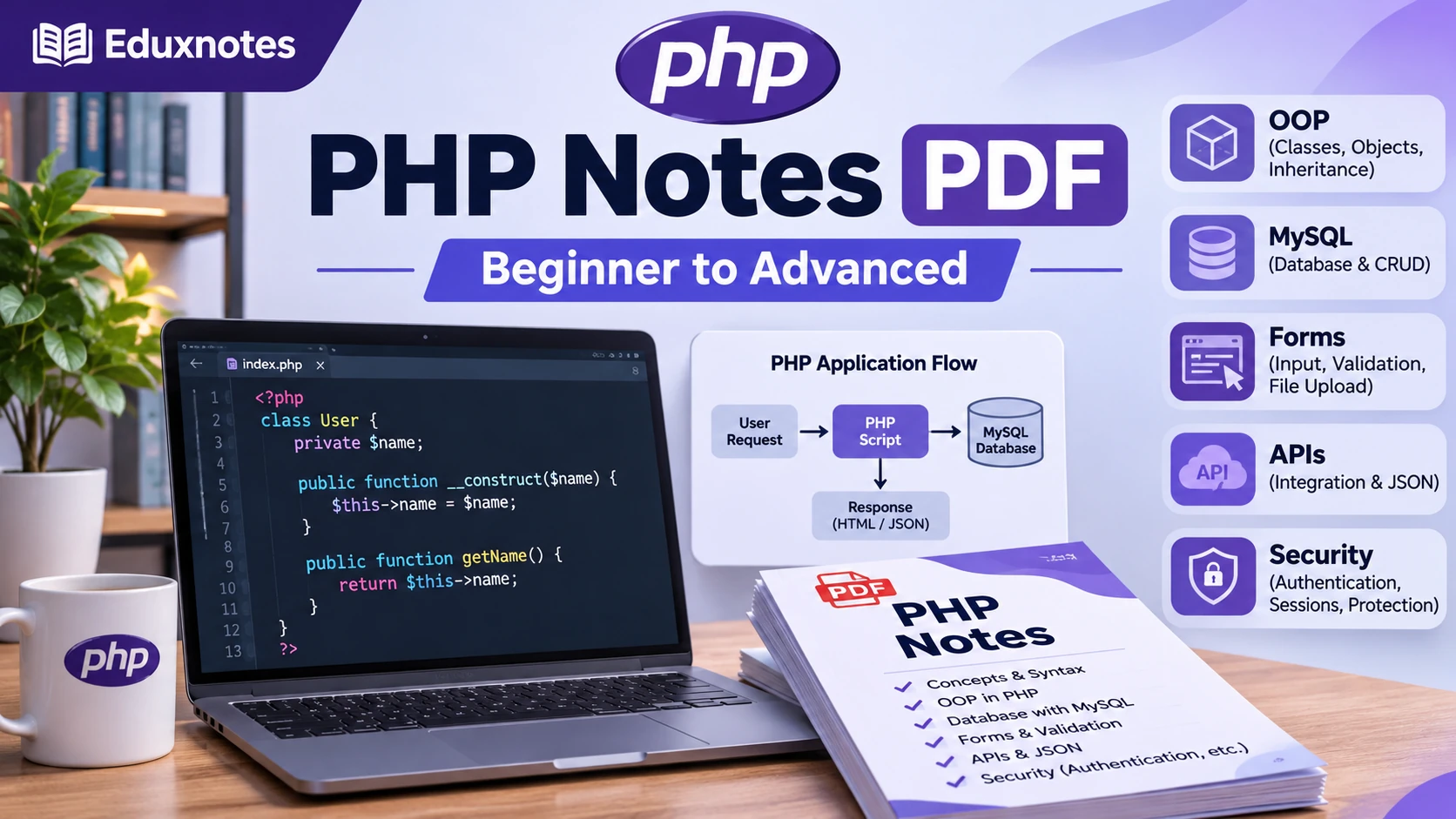
PHP has been part of web development for decades, but it remains a practical programming language for building dynamic websites, backend applications, content management systems, and database-driven platforms. Whether you are a college student learning server-side programming for the first time or a developer planning to build a real-world web application, understanding PHP can give you a strong foundation in backend development.
However, learning PHP is not simply about memorizing syntax or copying code from tutorials. A developer needs to understand how browsers communicate with servers, how application data is processed, how databases are managed, and how security is implemented.
That is where structured PHP notes become useful.
This complete PHP programming guide covers essential concepts from beginner to advanced levels, including variables, operators, functions, arrays, form handling, sessions, cookies, object-oriented programming, MySQL integration, APIs, authentication, and security.
You can also use the Complete PHP Notes PDF from Eduxnotes as a revision resource while practicing the concepts explained in this article.
What Is PHP Programming?
PHP stands for PHP: Hypertext Preprocessor. It is an open-source, general-purpose scripting language especially suited to server-side web development.
In simple terms, PHP allows a website to perform operations on the server before sending a response to a user's browser.
Consider an online shopping website. When customers open a product page, the website may need to retrieve product information from a database, check inventory availability, calculate applicable prices, and display the results.
PHP can handle these backend operations and generate the appropriate response.
Unlike client-side JavaScript, which commonly runs in a browser, PHP typically executes on a web server. The browser receives the generated HTML, JSON, or another response rather than the original PHP source code.
How PHP Works Behind the Scenes
A typical PHP web application follows this process:
- A visitor opens a page or submits a form through a browser.
- The browser sends an HTTP request to the web server.
- The server passes the request to the PHP application.
- PHP processes application logic and, when necessary, communicates with a database.
- The application prepares an HTML page, JSON response, or another output.
- The server sends the response to the browser.
For example, when a user logs into an application, PHP may verify submitted credentials against stored account information and create an authenticated session.
This request-response model is one of the most important concepts for beginners because it connects PHP programming with the way real websites operate.
Why Should You Learn PHP in 2026?
With technologies such as Node.js, Python, and modern JavaScript frameworks available, beginners sometimes wonder whether PHP is still worth learning.
The answer depends on what you want to build, but PHP continues to have several practical advantages.
1. PHP Is Widely Used in Web Development
PHP is associated with popular web platforms, including WordPress. Developers also use it for custom dashboards, business applications, administrative systems, e-commerce websites, and backend services.
Knowing PHP can help you understand, maintain, or extend existing applications rather than starting every project from scratch.
2. PHP Is Beginner-Friendly
The basic syntax is relatively approachable, especially for students who already understand variables, loops, conditions, and functions in another programming language.
You can create your first PHP page with only a few lines of code.
At the same time, PHP supports more advanced programming techniques, so learning does not stop at basic scripts.
3. PHP Supports Modern Application Development
Modern PHP supports typed properties, namespaces, attributes, exceptions, object-oriented programming, and dependency management through Composer.
Frameworks such as Laravel and Symfony provide organized ways to develop applications with routing, database access, validation, and other commonly needed features.
4. PHP Works Well with Databases
PHP provides interfaces for connecting to databases such as MySQL, PostgreSQL, and SQLite.
This makes it suitable for applications that need to store user accounts, products, orders, articles, or business records.
5. PHP Can Be Used for Different Types of Projects
PHP is not limited to traditional websites. It can also support REST APIs, command-line scripts, scheduled jobs, data-processing tools, and backend systems.
For beginners interested in backend development, PHP offers opportunities to learn concepts that also apply to many other programming languages.
How to Set Up PHP on Your Computer
Before learning PHP syntax, you need a development environment where you can write and execute PHP files.
There are multiple ways to set up PHP, depending on your operating system and project requirements.
XAMPP is useful for students who want a bundled local development environment. Alternatively, developers can install PHP independently and configure a database when required.
After installation, open a terminal and run:
php -v
This command displays the installed PHP version if the executable is available in your terminal.
For new projects, choose an actively supported PHP release rather than relying on an outdated version from an old tutorial.
Create Your First PHP Project
Create a new folder named php-learning, then add a file called index.php.
Write the following code:
<?php

echo "Welcome to PHP Programming!";

?>
Open your terminal inside the project folder and start PHP's built-in development server:
php -S localhost:8000
Now visit:
http://localhost:8000
You should see:
Welcome to PHP Programming!
The built-in server is intended for local development and testing, not public production hosting.
This basic exercise introduces an important PHP workflow: write code, execute it on a server, and examine its response through a browser.
Understanding PHP Syntax
Every programming language has a set of rules that determines how code is written.
PHP code commonly begins with the opening tag:
<?php
Statements are generally terminated using semicolons.
For example:
<?php

$name = "Rahul";

echo "Hello, " . $name;
In this example, $name stores a string, and echo displays the output.
The dot operator (.) joins strings together.
PHP can also be embedded into HTML:
<!DOCTYPE html>
<html>
<head>
    <title>PHP Example</title>
</head>
<body>

    <h1>
        <?php echo "Learning PHP"; ?>
    </h1>

</body>
</html>
Although mixing PHP with HTML is useful for understanding the language, larger applications usually benefit from separating presentation logic from business logic.
PHP Variables and Data Types
Variables allow programs to store information that can be reused or modified.
In PHP, variable names begin with the dollar symbol ($).
<?php

$name = "Anita";
$age = 22;
$salary = 35000.50;
$isStudent = false;
PHP determines the type of a variable from the assigned value, although modern PHP also supports explicit type declarations in many places.
data types matters because different operations require different types of values.
For instance, adding two integers is different from joining two strings.
Beginners should also learn the distinction between loose and strict comparisons.
<?php

$a = 10;
$b = "10";

var_dump($a == $b);
var_dump($a === $b);
The first comparison checks equality with type conversion, while the second also requires matching types.
Using strict comparisons where appropriate helps prevent unexpected behavior.
Operators in PHP
Operators perform calculations, comparisons, assignments, and logical operations.
Arithmetic Operators
PHP supports common arithmetic operations such as addition, subtraction, multiplication, division, and modulus.
<?php

$a = 20;
$b = 6;

echo $a + $b;
echo $a - $b;
echo $a * $b;
echo $a / $b;
echo $a % $b;
Comparison Operators
Comparison operators help programs make decisions.
For example:
<?php

$marks = 78;

if ($marks >= 40) {
    echo "Student Passed";
} else {
    echo "Student Failed";
}
This example checks whether the marks meet a passing condition.
Operators are used throughout real applications, including price calculations, account verification, access-control decisions, and data filtering.
Conditional Statements in PHP
Conditional statements allow a program to execute different code depending on the situation.
PHP provides if, else, elseif, switch, and match for different decision-making requirements.
Consider a student grading system:
<?php

$marks = 82;

if ($marks >= 90) {
    echo "Grade A+";
} elseif ($marks >= 75) {
    echo "Grade A";
} elseif ($marks >= 60) {
    echo "Grade B";
} elseif ($marks >= 40) {
    echo "Grade C";
} else {
    echo "Fail";
}
The program evaluates the conditions in order and executes the first matching branch.
Conditional statements become especially useful when implementing business rules.
For example, an application might permit a discount only when a customer meets certain conditions.
Rather than memorizing every conditional statement, practice converting real-life decisions into logical expressions.
Loops in PHP Programming
Loops allow developers to repeat operations without writing the same statement multiple times.
PHP supports for, while, do-while, and foreach loops.
Example: For Loop
<?php

for ($i = 1; $i <= 5; $i++) {
    echo "Number: " . $i . "\n";
}
This program prints five numbers.
Example: Foreach Loop
<?php

$students = [
    "Amit",
    "Priya",
    "Rahul",
    "Neha"
];

foreach ($students as $student) {
    echo $student . "\n";
}
The foreach loop is particularly useful when working with arrays or collections.
A real application might use it to process order items, generate report rows, or iterate over database query results.
However, developers should also understand when loops are unnecessary. Repeated database queries inside loops, for example, can become inefficient when processing large datasets.
Arrays in PHP
Arrays are among the most frequently used data structures in PHP.
They allow developers to organize related values and work with them efficiently.
PHP arrays can store indexed values and key-value pairs.
Indexed Array
<?php

$technologies = [
    "PHP",
    "MySQL",
    "JavaScript"
];

echo $technologies[0];
This prints PHP.
Associative Array
<?php

$student = [
    "name" => "Rahul",
    "course" => "Computer Science",
    "year" => 3
];

echo $student["course"];
Associative arrays are useful when information has meaningful property names.
For instance, an application might store the details of a product using keys such as name, price, stock, and category.
Multidimensional Arrays
A multidimensional array can contain multiple arrays.
<?php

$students = [
    [
        "name" => "Rahul",
        "marks" => 85
    ],
    [
        "name" => "Priya",
        "marks" => 92
    ]
];

echo $students[1]["name"];
This structure can represent rows of information.
As applications become larger, understanding how to organize and access data becomes just as important as knowing the syntax.
Functions in PHP
Functions group reusable logic into named blocks of code.
Instead of repeating the same calculation throughout an application, developers can create a function and call it whenever needed.
Example: Calculate a Discounted Price
<?php

declare(strict_types=1);

function calculateDiscount(
    float $price,
    float $discountPercentage
): float {
    $discount = $price * $discountPercentage / 100;

    return $price - $discount;
}

echo calculateDiscount(1000, 10);
The output is:
900
This example demonstrates parameters, a return value, and type declarations.
Good functions should usually perform a clear, focused task.
A function named calculateDiscount() should calculate a discount rather than unexpectedly modifying database records or sending emails.
For larger applications, this separation makes code easier to test, reuse, and maintain.
PHP Form Handling: GET and POST Methods
One of the most useful features of PHP is its ability to process HTML forms.
Forms allow users to submit information such as names, email addresses, passwords, search queries, and feedback.
PHP can receive this information and perform server-side operations.
POST data is not automatically encrypted or secure simply because it is absent from the URL. HTTPS, validation, authentication, and authorization remain important.
HTML Form Example
Create a file named form.html:
<form action="process.php" method="POST">

    <label for="name">Your Name</label>

    <input
        type="text"
        id="name"
        name="name"
        required
    >

    <button type="submit">
        Submit
    </button>

</form>
Now create process.php:
<?php

$name = trim($_POST["name"] ?? "");

if ($name === "") {
    http_response_code(400);
    exit("Name is required.");
}

echo "Hello, " . htmlspecialchars(
    $name,
    ENT_QUOTES,
    "UTF-8"
);
The PHP script receives the submitted name and safely encodes it for display in an HTML response.
This introduces two essential concepts: validating submitted input and safely handling output.
Never assume data submitted by a browser is trustworthy, even when the HTML form contains validation rules.
Sessions and Cookies in PHP
HTTP is fundamentally stateless, meaning individual requests do not automatically remember previous interactions.
Yet real websites need features such as login sessions, shopping carts, and user preferences.
Sessions and cookies help applications maintain state across requests.
What Is a Session?
A PHP session allows an application to associate server-side information with a visitor across multiple requests.
For example:
<?php

session_start();

$_SESSION["username"] = "Rahul";

echo "Session value stored.";
On a subsequent request, the application can retrieve the stored value after calling session_start().
What Are Cookies?
Cookies are small pieces of information stored by a browser and sent with matching HTTP requests.
They can be used for preferences, session identifiers, and other features.
The important difference is that session data is generally maintained on the server, while cookies are stored in the browser.
In production, session cookies should use suitable security settings, including Secure, HttpOnly, and an appropriate SameSite policy.
Developers should also regenerate session identifiers after successful authentication and protect state-changing requests against cross-site request forgery.
Connecting PHP with MySQL Database
A programming language becomes significantly more useful when it can store and retrieve persistent information.
For example, a student management application may need to remember student names, enrollment numbers, marks, and course details even after the application restarts.
A database provides this storage.
PHP commonly works with MySQL through the PDO or MySQLi extensions.
What Is CRUD?
Nearly every database-driven application implements some combination of these operations.
Example: Insert Data Using PDO
The following example assumes you already have a database and a students table.
<?php

$pdo = new PDO(
    "mysql:host=localhost;dbname=school;charset=utf8mb4",
    getenv("DB_USER"),
    getenv("DB_PASSWORD"),
    [
        PDO::ATTR_ERRMODE => PDO::ERRMODE_EXCEPTION
    ]
);

$name = "Rahul";
$email = "rahul@example.com";

$stmt = $pdo->prepare(
    "INSERT INTO students (name, email)
     VALUES (:name, :email)"
);

$stmt->execute([
    "name" => $name,
    "email" => $email
]);

echo "Student added successfully.";
The database credentials should be supplied securely through the application's environment rather than hardcoded into public source files.
The code uses a prepared statement, which keeps input values separate from the SQL structure.
Prepared statements are an essential defense against SQL injection when used correctly.
For production applications, you should also implement database error handling, uniqueness constraints, and transaction management where necessary.
Object-Oriented Programming in PHP
As projects grow, placing all application logic inside a few large files makes maintenance difficult.
Object-oriented programming, commonly called OOP, helps developers organize software around classes and objects.
PHP supports concepts such as encapsulation, inheritance, abstraction, interfaces, and polymorphism.
Understanding Classes and Objects
A class defines a structure and its associated behavior.
An object is an instance of that class.
Consider this example:
<?php

class Student
{
    public function __construct(
        public string $name,
        public int $age
    ) {}

    public function introduce(): string
    {
        return "My name is {$this->name}.";
    }
}

$student = new Student("Rahul", 21);

echo $student->introduce();
This example demonstrates a constructor, properties, a method, and object creation.
The benefits become clearer in larger applications.
A student management system could contain classes responsible for users, courses, enrollments, notifications, and reports.
However, OOP is not simply about creating as many classes as possible.
Good design means assigning responsibilities logically, avoiding unnecessary complexity, and creating interfaces where they provide genuine value.
Composer and Modern PHP Development
Modern development often requires external libraries for tasks such as HTTP requests, testing, logging, and other common operations.
Composer is PHP's dependency manager.
Instead of manually downloading every library, developers can declare dependencies and manage them consistently.
For example:
composer init
This begins the process of creating a Composer project.
To install a package, developers can use:
composer require vendor/package
The package name must be replaced with a real dependency.
Composer also supports autoloading, helping applications load classes without manually including every file.
For projects maintained by teams, committing composer.json and composer.lock generally helps ensure consistent dependency versions.
Learning Composer is an important step between writing small PHP scripts and building maintainable applications.
Building REST APIs with PHP
Many modern applications separate their frontend and backend systems.
For example, a mobile application might display data retrieved from a PHP backend.
Instead of returning a complete HTML page, the backend can return JSON.
Simple PHP JSON API
<?php

header("Content-Type: application/json; charset=utf-8");

$data = [
    "success" => true,
    "message" => "API is working",
    "courses" => [
        "PHP",
        "MySQL",
        "JavaScript"
    ]
];

echo json_encode(
    $data,
    JSON_THROW_ON_ERROR
);
The browser or API client receives structured JSON.
In a real API, developers should also consider HTTP methods, status codes, authentication, authorization, pagination, error responses, and request validation.
For example, a product API might support retrieving products with GET, creating products with POST, updating products with PATCH, and deleting products with DELETE.
These conventions make applications easier to understand and integrate.
PHP Security Best Practices Every Developer Should Know
Security is not an advanced topic that should be ignored until the end of a project.
Even basic applications can expose private information or allow unauthorized actions if they are designed carelessly.
Some of the most important practices include the following.
Prevent SQL Injection
Avoid building SQL statements by directly joining untrusted input into query strings.
Use parameterized queries with PDO or another suitable database interface.
Prepared statements protect query values, but developers must still safely handle dynamic identifiers such as table or column names through explicit allowlists.
Prevent Cross-Site Scripting (XSS)
Applications should encode untrusted data according to the context in which it is displayed.
For ordinary HTML text, htmlspecialchars() is useful.
For JavaScript, URLs, HTML attributes, and other contexts, different handling may be required.
Protect User Passwords
Never store passwords as plain text.
PHP provides password_hash() and password_verify() for securely hashing and verifying passwords.
For example:
<?php

$password = "ExamplePassword123!";

$hash = password_hash(
    $password,
    PASSWORD_DEFAULT
);

if (password_verify($password, $hash)) {
    echo "Password verified.";
}
In a real application, the plain password would come from user input, and the hash would be stored securely in the database.
Avoid creating your own password-hashing algorithm.
Validate File Uploads
File uploads require special care because uploaded content may be malicious or unexpectedly large.
Developers should validate file size, allowed file types, and content. Uploaded files should receive safe generated filenames and should generally be stored outside publicly executable directories.
Implement Proper Authorization
Authentication establishes who a user is. Authorization determines what that user is permitted to do.
A user who successfully logs in must not automatically gain permission to access another user's private records.
Server-side authorization checks should be performed for every protected operation.
Keep Dependencies Updated
Applications can become vulnerable through outdated PHP versions, frameworks, or third-party packages.
Regular updates, security reviews, backups, and monitoring are part of responsible application maintenance.
These practices should be included from the earliest stages of learning rather than treated as optional improvements.
Important PHP Topics to Learn After the Basics
These topics are valuable because they introduce the practices used in professionally maintained backend systems.
For instance, knowing how to write an SQL query is useful, but understanding transactions becomes essential when an application performs multiple related database operations.
Similarly, writing a working function is a good start, but learning automated testing makes it easier to detect regressions when the function changes.
Common Mistakes PHP Beginners Should Avoid
Many students learn PHP syntax quickly but struggle when they start building actual applications.
The problem is often not a lack of knowledge about the language. It is the absence of consistent programming habits.
Writing everything in one file: A single PHP file containing HTML, database operations, authentication, and business logic may work initially, but it becomes difficult to maintain. As the project grows, separate responsibilities into appropriate files and components.
Ignoring error messages: Errors provide useful information about what went wrong. Learn to read error messages and use development logs rather than randomly changing code. In production, avoid displaying sensitive error details to visitors.
Not understanding HTTP: Forms, sessions, APIs, redirects, and cookies are easier to understand when you know how HTTP requests and responses work.
Copying database code without understanding it: Learn why prepared statements are used and how parameters are bound. A copied example is less useful if you cannot explain its security implications.
Skipping project development: Reading notes builds familiarity, but real learning happens when you solve problems independently. Small projects expose mistakes that theoretical examples may not reveal.
Ignoring code organization: Meaningful variable names, focused functions, consistent formatting, and version control save considerable time when debugging.
The goal is not to write perfect code immediately. It is to improve the quality of your decisions as you gain experience.
PHP Learning Roadmap: From Beginner to Advanced
One of the biggest challenges for beginners is deciding what to study first.
Jumping between unrelated tutorials often leads to confusion.
A structured roadmap makes the learning process more manageable.
Week 1: Build Your Programming Foundation
Start with PHP installation, syntax, variables, data types, operators, conditions, loops, arrays, and functions.
Do not rush these topics.
Write small programs such as a calculator, a grade checker, a multiplication table generator, and a basic expense calculator.
Make sure you can explain the logic without looking at the original example.
Week 2: Learn Web Development Fundamentals
Move into HTML forms, GET and POST requests, validation, sessions, cookies, file handling, and basic JSON operations.
Build a contact form that validates submitted information and displays helpful error messages.
At this stage, begin learning the difference between trusted and untrusted information.
Week 3: Work with Databases and OOP
Learn how relational databases organize information and how PHP communicates with MySQL through PDO.
Practice creating tables, inserting records, retrieving information, updating data, and deleting records.
Then study classes, objects, constructors, properties, methods, and interfaces.
Build a small student record management application.
Week 4: Develop a Complete Application
Combine the concepts into one project.
Create registration and login functionality, user-specific records, basic role-based authorization, database operations, and secure session handling.
Organize the project into reusable components.
Add basic tests and review common security risks before deploying it.
Four weeks can provide a useful starting structure, but it is not a guaranteed timeline for mastery. Some learners will need more time, especially if they are new to programming.
The important measurement is whether you can build and explain a working application independently.
Best PHP Projects for Beginners
Projects are an effective way to turn concepts into practical skills.
Rather than immediately copying a large e-commerce application, start with smaller projects that have clear requirements.
1. Student Management System
A student management system can allow an administrator to add, view, update, and delete student records.
This project introduces form validation, database tables, CRUD operations, search functionality, and error handling.
You can later extend it with authentication, attendance management, and course enrollment.
2. Personal Expense Tracker
An expense tracker helps users record their spending and review transactions.
Build features for adding expenses, assigning categories, filtering by date, and calculating totals.
This is a useful project for practicing database queries, calculations, and user-specific access control.
3. Blog Management System
A simple blogging application can include an administrative dashboard, article creation, editing, categories, and publication status.
This project introduces content management, database relationships, routing, and authentication.
Advanced improvements might include image uploads, pagination, search, and permission management.
4. Task Management Application
A task manager allows users to create tasks, set deadlines, update progress, and organize activities.
It is a good way to learn CRUD operations and practice handling different application states.
Start with a single-user application before adding multiple users, team collaboration, or notifications.
5. REST API for a Product Catalog
Build a backend API that can return products, create new entries, update product information, and delete records.
This project helps you understand JSON responses, HTTP status codes, API endpoints, validation, and authorization.
After finishing the backend, connect it to a frontend application.
Completing even two of these projects carefully can be more educational than following dozens of tutorials without building anything independently.
How to Study PHP Notes Effectively
Downloading a programming PDF is easy. Using it to develop actual programming ability requires a little more effort.
A useful approach is to follow a repeated learning cycle: understand a concept, type an example, change the example, observe the result, and then build something without copying.
For instance, after learning arrays, do not stop after printing a list of names.
Try building an array of products containing names, prices, and stock quantities. Then write a function that calculates the total value of available stock.
That small exercise combines arrays, loops, functions, and arithmetic.
When something does not work, investigate the error and try to identify which assumption was incorrect.
You should also maintain a personal collection of short examples. Save useful programs with descriptive filenames so that you can revisit them during revision.
The Eduxnotes PHP Notes PDF can be used alongside these exercises as a structured reference for syntax, programming concepts, database development, and common backend techniques.
Download Complete PHP Notes PDF for Beginners and Advanced Learners
If you prefer learning from organized material rather than searching through unrelated tutorials, a comprehensive PHP notes PDF can be a useful study companion.
The Eduxnotes Complete PHP Notes PDF brings together beginner, intermediate, and advanced topics in one resource.
It covers fundamental PHP syntax, variables, data types, operators, control structures, arrays, functions, form handling, sessions, cookies, database connectivity, object-oriented programming, APIs, security, testing, and deployment concepts.
The notes also include code examples, diagrams, comparison tables, interview questions, and practice exercises.
You can use the PDF to revise topics before examinations, review programming concepts before interviews, or consult examples while building your own projects.
Download the Complete PHP Notes PDF from Eduxnotes and practice the examples alongside this guide.
For best results, treat the notes as a reference and study resource rather than a substitute for hands-on development.
Frequently Asked Questions (FAQs)
1. Is PHP easy to learn for beginners with no programming experience?
PHP can be a good first server-side programming language because its basic syntax is relatively approachable and beginners can start producing useful output quickly. However, learning PHP still requires an understanding of programming fundamentals such as variables, operators, conditional statements, loops, arrays, and functions. Someone who has never programmed before may need additional time to become comfortable with these concepts. A useful approach is to write small programs before attempting database-driven applications. Start with calculations and simple forms, then progress toward sessions, MySQL, and object-oriented programming. Consistent practice matters more than how quickly you finish a tutorial.
2. Do I need to learn HTML, CSS, and JavaScript before starting PHP?
You do not need to master HTML, CSS, or JavaScript before writing your first PHP program. PHP can run independently from the command line and can be used for scripts that do not generate web pages. However, a basic understanding of HTML is highly useful when learning PHP for web development because HTML provides the structure of the pages and forms that PHP commonly processes. CSS helps with visual presentation, while JavaScript provides interactive browser-side behavior. Learning the responsibilities of each technology will make it easier to understand how frontend and backend systems work together.
3. Can I become a PHP developer by studying PHP notes and PDF materials?
PHP notes and PDFs provide a foundation, but becoming a capable developer requires more than reading. You need to write code, debug errors, understand databases, work with HTTP requests, and implement secure application features. Begin with the basic examples in your notes, then modify them to solve slightly different problems. After that, develop projects such as a student management system, expense tracker, or small API. Learn Git, Composer, and automated testing as your projects become more complex. A portfolio containing working, well-organized applications demonstrates practical understanding more effectively than simply completing a collection of chapters.
4. What is the difference between PHP and JavaScript, and which one should beginners learn?
PHP and JavaScript serve overlapping but different development roles. PHP commonly runs on a server and is used to process requests, access databases, perform application logic, and generate responses. JavaScript is widely used in browsers to create interactive interfaces, but it can also run on servers through environments such as Node.js. If your goal is to learn how traditional server-rendered websites and PHP-based platforms operate, PHP is a sensible choice. If you are primarily interested in interactive frontend development, JavaScript is essential. Learning both can be valuable because they can work together in a complete web application.
5. How long does it take to learn PHP from basic to advanced level?
The time required depends on your previous programming experience, consistency, and what you consider advanced knowledge. Someone familiar with another language may understand basic PHP syntax relatively quickly, while a complete beginner may need several weeks to become comfortable with variables, loops, functions, and arrays. Building secure database-driven applications usually takes additional practice. Advanced skills such as application architecture, testing, performance optimization, API design, and security develop through real projects over a longer period. Instead of setting a fixed deadline, measure progress by the applications you can build, debug, explain, and maintain without constant guidance.
Conclusion
PHP remains a useful language for learning backend web development and building practical applications. Its syntax is accessible to beginners, while its modern features and development ecosystem support more complex software systems.
The most effective learning process begins with understanding programming fundamentals and gradually moves toward real-world application development.
Start with variables, operators, loops, functions, and arrays. Then explore forms, sessions, cookies, and database connectivity. Once these concepts are comfortable, learn object-oriented programming, dependency management, APIs, authentication, and secure development practices.
Most importantly, build projects and examine how each component works.
The Complete PHP Notes PDF from Eduxnotes can support this journey by providing organized explanations, code examples, diagrams, interview questions, and practical exercises in a single study resource.
Use the notes consistently, experiment with the code, and focus on understanding why each solution works. That approach will help you move beyond memorizing PHP syntax and toward becoming a more confident backend developer.